Eliminate Office Returns: Facility Operations Mobile Documentation
Robotic ImagingApril 10, 2026
Facility Operations Mobile Documentation Platform: How Field Technicians Eliminate the Office Return Trip
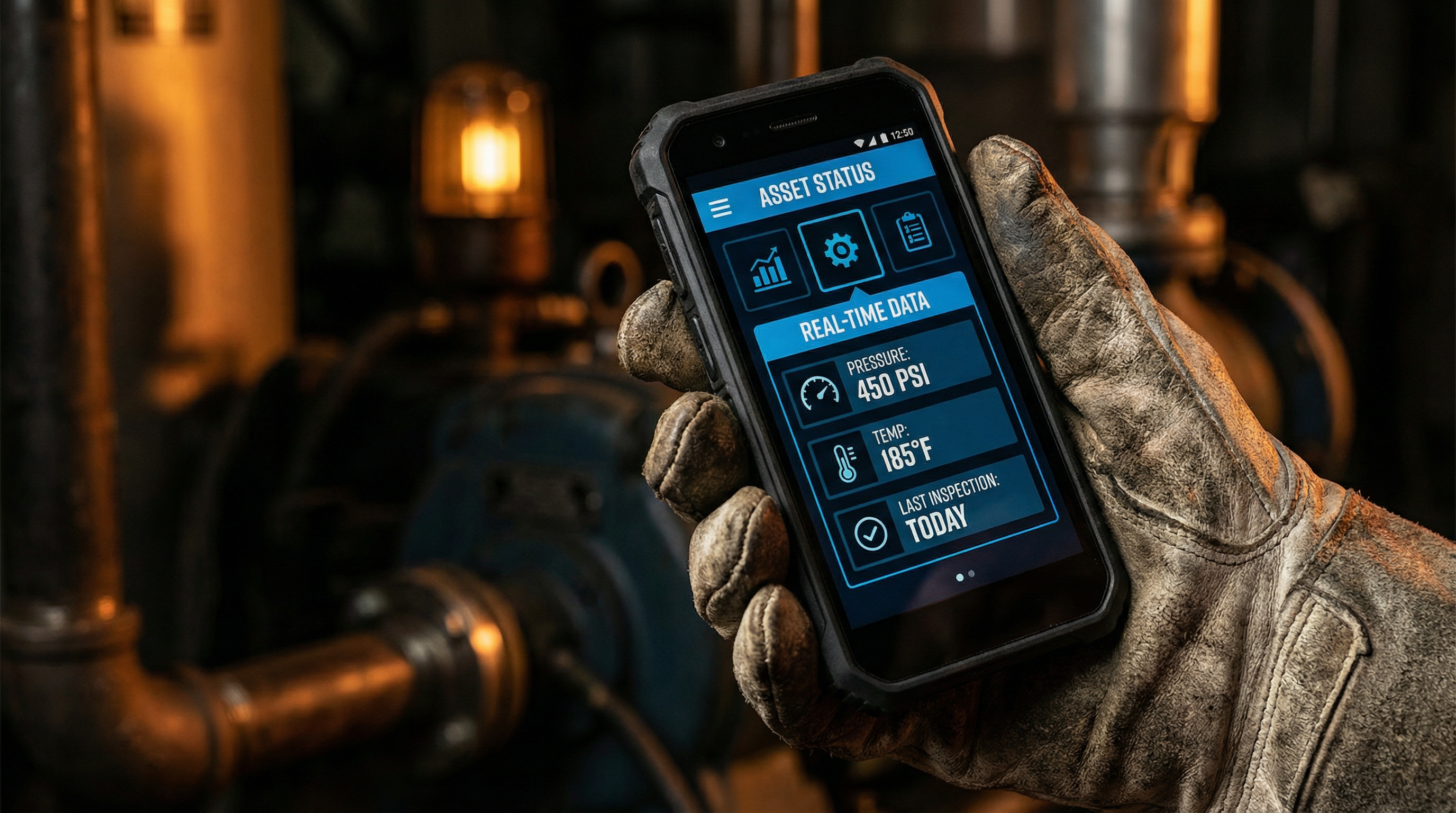
For facility operations staff managing equipment maintenance across multi-location retail portfolios, the field-office disconnect creates a measurable daily productivity drain. Technicians document equipment on clipboards during service calls, return to the office, and re-enter that same data at desktops — double labor with information loss at every step. Robotic Imaging's facility operations mobile documentation platform eliminates this workflow gap entirely: technicians photograph nameplates, log service history, update work orders, and assess equipment condition from their smartphones, with full offline capability in equipment rooms and real-time portfolio visibility for regional managers monitoring distributed teams.
A facility operations mobile documentation platform enables field technicians to document equipment on-site using smartphones, eliminating office data entry delay. Core capabilities include: AI-powered nameplate capture (85-90% accuracy), immediate field service logging (30 seconds vs. 5 minutes at desk), mobile work order management from assignment to completion, standardized condition assessment forms with photo evidence, and real-time multi-location portfolio visibility accessible from any device.
The Field-Office Disconnect Costs Facilities Operations Teams More Than They Realize
Picture a standard equipment inspection at a 10-store district. A technician spends 45 minutes at each location documenting rooftop HVAC units, walk-in cooler compressors, and electrical panels — clipboards, handwritten model numbers, notes about operational concerns. Back at the regional office that evening, they spend another 20-30 minutes per location transcribing those notes into a spreadsheet or CMMS, squinting at handwritten serial numbers, guessing at abbreviations they wrote three hours ago.
That's 200-300 minutes of pure duplication for a single district visit. Multiply that across a 50-location portfolio with quarterly inspections, and the math becomes painful quickly.
The problem compounds because information degrades in transit. A condition rating that seemed obvious in the field becomes ambiguous at a desk four hours later. A service note that should trigger a preventive maintenance work order gets missed in the transcription rush. The next technician who visits that equipment has no record of what was found — and no way to access history without calling the office.
Mobile facilities software built for field-first operations eliminates each step of this chain. Robotic Imaging's facilities smartphone platform gives technicians the complete documentation lifecycle — capture, log, assess, coordinate — without returning to a desk. For facilities operations managers evaluating platforms that genuinely solve this problem, the differentiation isn't just convenience. It's the elimination of a structural workflow flaw that quietly degrades data quality and technician productivity across every location in the portfolio.
Ready to see this in action for your portfolio? Request a Facilities Platform Demo — we'll map the workflow to your specific locations and team structure.
Mobile Equipment Documentation for Field Technicians: AI Does the Data Entry
The first objection most facilities operations managers raise when evaluating mobile documentation platforms is data quality: "If technicians are entering equipment specs in the field on a phone keyboard, we'll end up with worse data than we have now."
Robotic Imaging's facilities mobile app resolves this objection by removing manual entry from the equation almost entirely.
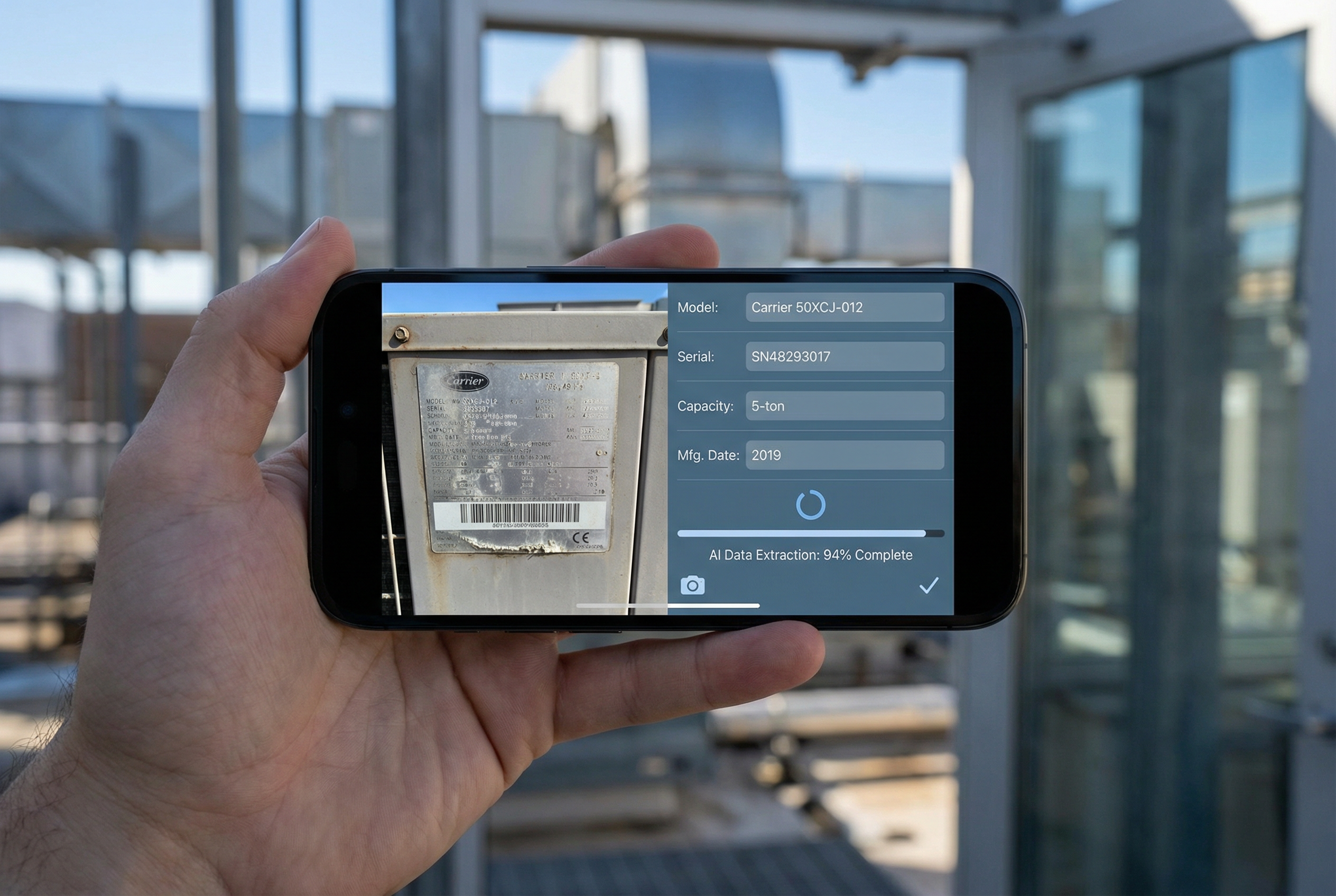
When a technician arrives at a rooftop HVAC unit or walk-in cooler compressor, the documentation workflow begins with a smartphone photo of the equipment nameplate. The platform's AI extraction engine analyzes that photo and automatically populates manufacturer, model number, serial number, capacity specifications, and installation year — with 85-90% accuracy. The technician confirms or makes minor corrections on a pre-populated form rather than typing from scratch. Total time per equipment unit: 5-10 seconds versus 3-5 minutes of manual entry at a desk.
This isn't mobile web performance crammed onto a smartphone screen. Robotic Imaging delivers native iOS and Android apps with sub-2-second load times and 60fps scrolling — the same performance characteristics as any consumer app technicians use daily. There's no learning curve associated with a sluggish interface or pinch-to-zoom workarounds.
The offline capability addresses the connectivity reality of field asset documentation. Equipment rooms frequently have poor or zero WiFi. Basement mechanical rooms, rooftop HVAC platforms, and walk-in cooler areas are exactly the environments where connectivity drops. Robotic Imaging's platform caches 1,000+ equipment units locally on the device — a full store's asset inventory is accessible and documentable without a single bar of signal. When the technician returns to an area with connectivity, records sync automatically in the background.
This is how field technicians document equipment without returning to the office: photograph the nameplate, confirm the AI-extracted specs, add field observations, and move to the next unit. The record is complete, accurate, and in the system before they leave the building.
At 7-Eleven's 1,000+ store deployment, store-level teams — not specialized documentation contractors — execute this workflow at every location. If self-service field documentation works at that scale, it scales to any multi-location retail portfolio.
Mobile Service History and Maintenance Logging: 30 Seconds in the Field vs. 5 Minutes at the Desk
Service history gaps are one of the most expensive invisible costs in facilities operations. When a technician arrives at a walk-in cooler for a service call, they frequently have no accessible record of what was done at that unit previously — what was replaced, what was monitored, what concerns were flagged. Without that context, they're diagnosing from scratch every visit.
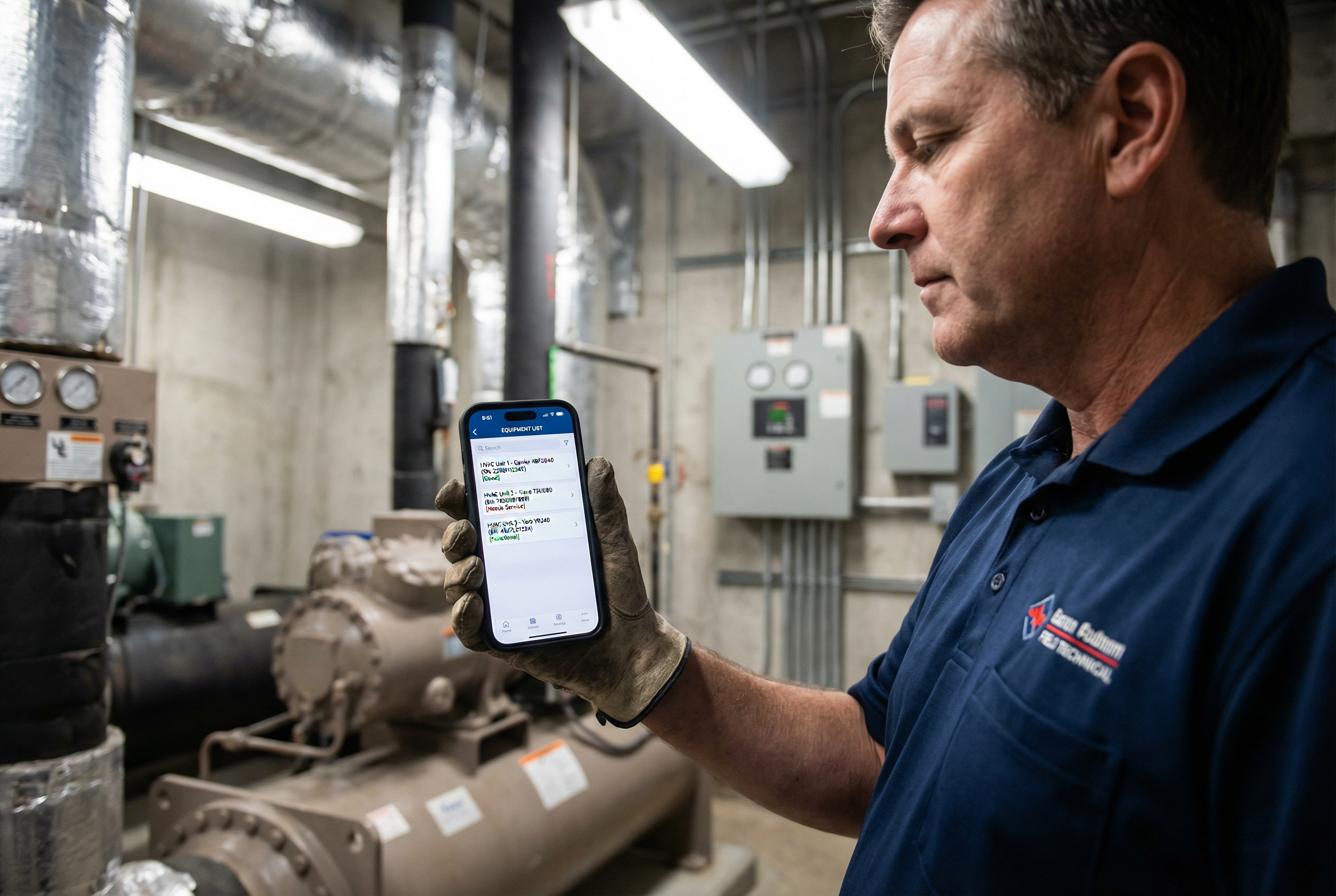
The operations documentation app Robotic Imaging provides gives every technician QR code access to complete equipment service history at the point of service.
The workflow looks like this:
1. Technician arrives at equipment and scans the QR label affixed to the unit (cost: $0.01-0.05 per label, smartphone camera — no dedicated scanner required) 2. Platform instantly displays complete service history: prior work orders, parts replaced, condition ratings from previous inspections, technician notes 3. Technician performs service with full historical context 4. Post-service logging takes 30 seconds: select work completed, note any observations, attach a photo if relevant, mark complete 5. Record syncs to portfolio system in real time — accessible to the next technician who visits that unit
That 30-second field logging versus a 5-minute office entry — if the information is even remembered and entered at all — represents a fundamental shift in how service history accumulates. In office-return workflows, service logs are entered hours after the fact, rely on technician memory, and frequently contain gaps. In field-logging workflows, the record is created at the moment of service, with full contextual accuracy.
The QR scan mechanism also creates accountability that clipboard workflows cannot replicate. Because history logging happens at the physical equipment location, there's a natural forcing function: the technician is standing at the unit when they update its record. This isn't imposed discipline — it's the path of least resistance when the documentation tool is the same smartphone already in their pocket.
For regional managers coordinating multi-technician teams across 50+ locations, real-time service logging transforms scheduling and dispatch decisions. When a technician flags an equipment concern at one location during a morning service call, that information is in the system before the afternoon's coordination call — not in a clipboard note waiting to be typed.
Mobile Preventive Maintenance Coordination: Dynamic Scheduling for Distributed Teams
Preventive maintenance scheduling in multi-location retail facilities operations has a persistent coordination problem: schedules set at the office don't survive contact with field realities. An HVAC service that was planned for Tuesday gets pushed when the technician finds a higher-priority equipment failure at an adjacent location Monday. The preventive maintenance schedule in the CMMS doesn't update. The service doesn't get rescheduled. The equipment runs past its service interval.
Robotic Imaging's platform gives field technicians and regional managers a shared, real-time view of preventive maintenance schedules from mobile devices — so dynamic rescheduling happens in the field, not in an email thread after the fact.
When a technician identifies that a scheduled PM cannot be completed as planned, they reschedule directly in the mobile interface: update the service date, note the reason for deferral, and flag any risk associated with the delay. The updated schedule is immediately visible to the regional manager and any other technician who might pick up the work.
For operations teams managing 50-500+ retail locations, the cumulative effect of field-coordinated PM scheduling is significant. Equipment doesn't run past service intervals because a rescheduling note got lost in translation between a technician's phone call and a coordinator's calendar update. The operations documentation app serves as the coordination layer that keeps scheduled maintenance on track across distributed teams without requiring office-based dispatchers to manually manage every adjustment.
This dynamic coordination capability is particularly valuable for seasonal equipment — HVAC systems heading into summer peak demand, refrigeration units before holiday volume increases — where PM timing directly affects reliability during the highest-stakes operational periods.
Mobile Work Order Management for Field Teams: Assignment Through Closure Without a Desk
Most CMMS platforms offer mobile work order access as a supplementary layer on top of a desktop-primary system. Technicians can view assigned work orders on their phones, but creating, updating, and closing work orders — especially with equipment documentation and photo evidence attached — often still requires desktop access.
Robotic Imaging's field service asset management workflow is genuinely end-to-end mobile. A regional manager or dispatcher creates a work order from any device, assigns it to a technician with the equipment record pre-populated, and the technician receives an immediate mobile notification with full work order context: location, equipment details, service history, and any priority flags.
The field update workflow for work orders:
1. Assignment notification: Technician receives work order with equipment details — no need to look up unit specs or call for history 2. On-site confirmation: Scan QR code at equipment to confirm location and pull full service context 3. Work documentation: Log work completed, parts used, time on-site, and any additional findings 4. Photo evidence: Attach photos directly to the work order record — before/after conditions, parts replaced, equipment labels 5. Closure: Mark work order complete in the field; record syncs to portfolio system in real time
This sequence eliminates the three most common work order failure modes in field operations: technicians arriving without equipment context, work completion going unlogged because office entry is deferred and forgotten, and photo evidence existing only on a phone camera roll rather than attached to the equipment record.
For facilities operations teams that have experienced the friction of a CMMS that requires desktop access for work order closure, the distinction is operationally significant. Work orders closed in the field, at the moment of completion, with photo documentation attached, produce a materially more complete and accurate service record than work orders closed at an office desk hours later from memory.
Equipment Condition Assessment Mobile Forms: Standardized Scoring With Photo Evidence
Condition assessments are the foundation of capital planning for multi-location retail facilities operations. When a refrigeration compressor is rated "fair" by one technician and "good" by another using different mental frameworks, the resulting capital planning data is unreliable. When condition ratings exist only in spreadsheets disconnected from equipment service history, replacement decisions lack the contextual data to be defensible.
Robotic Imaging's mobile condition assessment forms standardize scoring across every technician, every location, and every equipment category. Rather than open-ended condition notes, technicians work through structured assessment fields: condition rating on a standardized scale, operational status, observed symptoms, recommended action timeline, and replacement priority. Photo evidence attaches directly to the assessment record — the condition is documented visually alongside the numerical rating.
Example assessment workflow for a walk-in cooler unit during quarterly inspection:
- Scan QR code to open equipment record and prior condition history
- Complete standardized condition rating form (operational status, refrigerant level indicator, compressor sound, condenser cleanliness, door seal integrity)
- Attach photo of any observed concerns
- Flag for preventive maintenance, urgent repair, or capital replacement based on rating
- Assessment immediately visible to regional manager and facilities director in portfolio dashboard
This standardized approach is what makes condition data usable at the portfolio level. When every technician uses the same rating framework across all 50, 200, or 500 locations, the regional manager can actually compare equipment health across locations, identify concentrations of aging equipment, and prioritize capital replacement budgets with data rather than intuition.
For facilities teams that currently complete paper condition assessments and then — maybe — scan or type those results into a spreadsheet, the operational improvement is immediate. The field-to-record workflow happens in real time, with standardized structure and photo evidence, at the moment of inspection. No paper forms to lose. No transcription step where nuance disappears.
Portfolio Facilities Visibility and Management: Real-Time Intelligence Across Locations
Individual field efficiency gains matter. But for facilities operations managers and regional directors overseeing 50-500+ locations, the platform-level value is portfolio visibility: knowing the equipment health, service backlog, and PM status across every location without requiring location-by-location status calls or waiting for weekly reports.
Robotic Imaging's facilities mobile asset management platform provides a multi-location dashboard accessible from any device — desktop, tablet, or smartphone. Regional managers see real-time work order status, condition assessment trends, PM schedule adherence, and equipment age profiles across their entire portfolio. When a technician logs a critical finding at a Phoenix location while the regional manager is reviewing equipment in Dallas, that information appears in the portfolio dashboard immediately — not in a report at the end of the week.
This is the scale at which the platform operates in deployment today:
- 7-Eleven: 1,000+ store deployment — store-level teams executing mobile equipment documentation without specialized support, with portfolio-level visibility available to facilities leadership across the full network
- Dollar General: 4,000 locations planned — a portfolio-scale deployment demonstrating that the platform's multi-location operations documentation app architecture handles enterprise retail distribution without degradation
For facilities directors evaluating whether a mobile documentation platform can genuinely serve enterprise-scale portfolios — not just a 10-location pilot — these deployment numbers address the scale objection directly. If the platform supports real-time equipment tracking across 4,000 Dollar General locations, it scales to any multi-location retail operations environment.
The portfolio visibility layer also transforms capital planning conversations. Instead of pulling condition data from disconnected spreadsheets before a capital budget meeting, facilities directors access real-time equipment health dashboards showing the full distribution of condition ratings across all locations — which equipment categories are aging toward replacement, which locations have concentrated capital needs, and where preventive maintenance investment can extend equipment life and defer larger capital expenditures.
Operations team equipment tracking at the portfolio level is where individual field efficiency gains translate into organizational intelligence. Each technician's 30-second service log, each condition assessment form, each work order closure contributes to a living equipment record that grows more valuable with every field interaction.
Why Robotic Imaging's Facilities Operations Platform Outperforms CMMS Competitors for Field Teams
Facilities operations managers evaluating mobile platforms will encounter several established CMMS competitors — UpKeep, ServiceChannel, eMaint — all of which offer mobile work order capabilities as part of broader maintenance management platforms. The distinction worth understanding: these platforms deliver mobile apps primarily as work order execution layers on top of desktop-primary architectures. Initial equipment documentation, asset capture, and condition assessment workflows typically remain desktop-bound or require specialist involvement.
Robotic Imaging's platform is built around a different premise: the complete field documentation lifecycle should be executable from a smartphone, by operations staff — not specialists — without returning to a desk.
The AI nameplate extraction capability — 85-90% accuracy from smartphone photos, improving to 90%+ at 12 months of deployment — represents a capability not prominently featured by competing CMMS platforms at verified accuracy metrics. This single capability eliminates the core argument against field-based documentation: that technicians entering data on phones produces lower quality records than office entry. When AI handles the data entry and technicians confirm pre-populated fields, field-captured records are more accurate than desk-transcribed notes, not less.
The offline architecture — full functionality with 1,000+ equipment cached locally — similarly addresses a field reality that mobile-secondary CMMS platforms handle inconsistently. Equipment rooms, rooftop platforms, and walk-in cooler areas are exactly where WiFi connectivity fails. A platform that requires connectivity in those environments isn't a field documentation tool. It's a desktop workflow with a smaller screen.
For facility operations staff evaluating mobile documentation platforms: the right test isn't whether a platform has a mobile app. It's whether every step of the documentation lifecycle — initial equipment capture, service logging, work order closure, condition assessment — can be completed in the field, without connectivity, by a technician who isn't an IT specialist. That's the standard Robotic Imaging's platform is built to meet.
Eliminate the Office Return Trip: The Operations Efficiency Case for Mobile Documentation
The 20-30% field technician productivity improvement verified across Robotic Imaging deployments doesn't come from any single capability. It accumulates across every interaction that no longer requires a desk: the equipment nameplate that AI documents in 5-10 seconds instead of 3-5 minutes of manual typing, the service log entered in 30 seconds at the equipment instead of reconstructed from memory hours later, the work order closed in the field instead of deferred until the office, the condition assessment submitted with photo evidence instead of paper that may or may not get scanned.
For a 100-location retail portfolio, eliminating professional audit fees ($5K-15K per location), reducing manual data entry labor, and recovering technician productivity from clipboard-to-desk duplication produces $600K+ in annual value with a payback period of under two months.
The facilities mobile app that delivers this outcome is already deployed at scale — across 1,000+ 7-Eleven stores and 4,000 planned Dollar General locations — by operations teams, not specialists. The question for facilities operations managers evaluating this platform isn't whether it works. It's whether it fits your team's workflow and portfolio structure.
We can answer that question in a focused demo built around your specific locations:
- Request a Facilities Platform Demo — See the complete field documentation lifecycle mapped to your equipment types and portfolio structure
- Schedule a Facilities Operations Briefing — Discuss how Robotic Imaging's platform integrates with your existing CMMS and coordination workflows
- Download the Facilities Mobile Guide — Review the full mobile workflow documentation for operations teams at your evaluation stage
Your technicians are already carrying the hardware — native iOS and Android apps at sub-2-second load. The only remaining question is whether their smartphones are documenting your equipment portfolio, or just their personal lives.