
Facility Manager Scan-to-BIM: LOD 300 FM Documentation
Filed under
Robotic ImagingApril 8, 2026
Facility Manager Scan-to-BIM Documentation
For facility managers responsible for commercial office building operations, outdated or missing documentation creates compounding operational risk. Maintenance teams spend hours locating equipment that moved during a renovation three years ago. Capital budgets get built on rough estimates because nobody can confirm when that rooftop air handler was installed. Every contractor who walks the building starts from scratch. Robotic Imaging addresses this challenge directly — delivering LOD 300 Scan-to-BIM documentation that establishes a verified facility operations baseline, covering building systems inventory, equipment tracking, accurate floor plans, and point cloud archives supporting maintenance planning, capital budgeting, and emergency response.
Facility manager scan-to-BIM documentation is not a construction deliverable repurposed for operations. It is purpose-built for the workflows FM teams actually run.
Facility Operations Documentation: The Challenges Driving FM Teams to Scan-to-BIM
The documentation gap inside most commercial facilities is not the result of negligence — it is the predictable outcome of buildings that have been modified, re-tenanted, and renovated repeatedly over decades while record-keeping lagged behind. As-built drawings from the original construction become progressively less accurate with each subsequent change. Equipment gets swapped, utilities get rerouted, and walls get relocated. What remains on paper rarely reflects what exists in the building.
For FM teams, this gap translates to specific operational failures: maintenance technicians who cannot confirm equipment locations before dispatching, capital budgets padded with contingency because condition data is unreliable, and renovation projects that burn discovery budget redocumenting spaces that should already be on record.
Facility manager scan-to-BIM solves this problem by capturing the building as it currently exists — using LEICA RTC 360 laser scanners and photogrammetric capture to produce millimeter-accurate point clouds, then converting that data into LOD 300 Revit BIM models that document architectural geometry, MEP systems, equipment inventory, and spatial relationships at a level of detail operations teams can actually use.
Facility manager scan-to-BIM delivers LOD 300 Revit documentation of building systems, equipment inventory with make, model, serial number, and location data, accurate floor plans for space management, and point cloud archives supporting ongoing operations. Deliverables integrate with CMMS platforms including ServiceNow, ServiceChannel, and IBM Maximo to support maintenance scheduling, capital planning, and emergency response documentation.
Facility operations documentation at this standard eliminates the rediscovery cycle — the recurring cost of paying for documentation that should already exist.
> Ready to establish a verified documentation baseline for your facility? Request a Facility Documentation Assessment to discuss scope, timeline, and deliverables.
Building Systems Inventory and Equipment Tracking
The most operationally valuable component of facility manager scan-to-BIM documentation is comprehensive MEP and equipment inventory — not just room geometry, but the mechanical, electrical, and plumbing systems that keep the building functioning.
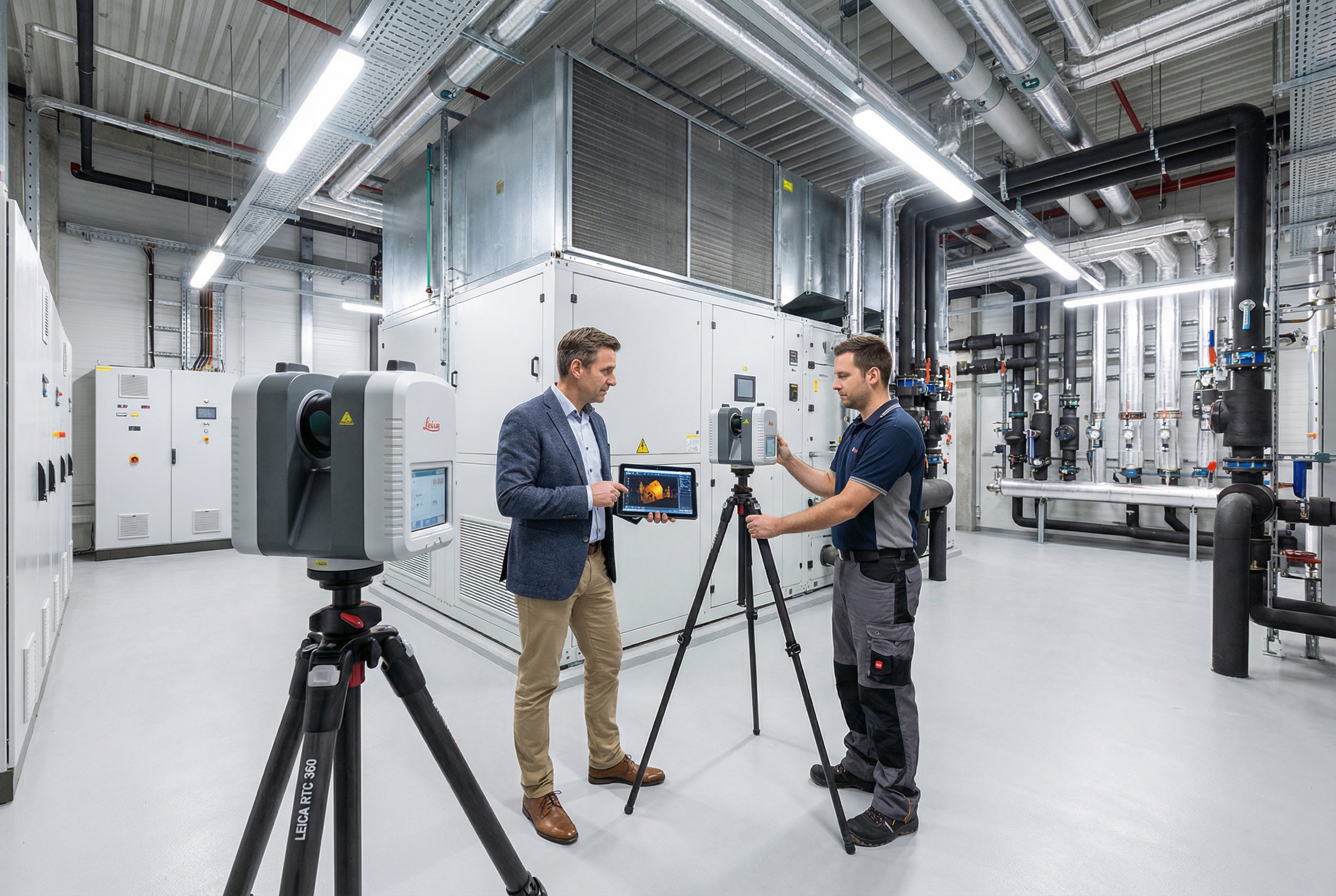
During field capture, Robotic Imaging deploys the LEICA RTC 360 as the primary instrument for mechanical rooms, open office floors, and large equipment spaces — capturing 2,000,000 points per second at ±1/16 inch accuracy across ranges up to 130 meters. For tighter utility corridors, electrical rooms, and constrained access areas where the RTC 360's footprint is impractical, the LEICA BLK 360 handles close-quarters documentation with equivalent precision in a compact format.
Equipment documentation during scanning goes beyond geometric location. Customizable capture forms allow field technicians to record nameplate data — make, model, serial number, installation date where visible, and rated capacity — for HVAC units, air handling units, electrical panels, fire suppression equipment, plumbing fixtures, and other maintainable assets. This data gets linked to equipment objects in the LOD 300 BIM model, creating an asset record tied to a precise 3D location.
What this delivers for maintenance planning scanning workflows:
- Equipment location mapping: Every tagged asset has an exact X/Y/Z coordinate in the BIM model, eliminating the "where is it?" problem before dispatching technicians
- Maintenance scheduling inputs: Equipment age and specification data feed PM scheduling with actual asset parameters, not assumed defaults
- Contractor coordination: Subcontractors receive documented system layouts rather than requesting drawings that either don't exist or don't reflect current conditions
- Warranty and compliance records: Nameplate data captured at scan supports equipment warranty tracking and regulatory compliance documentation
The field capture phase runs 2-3 days per building, with complete LOD 300 BIM deliverables returned in 10-14 business days — an operational disruption window small enough that building operations continue uninterrupted throughout.
CMMS Integration: Linking Equipment Records to BIM Geometry
The question facility directors ask most often about scan-to-BIM is not whether the BIM model will be accurate — it is whether the resulting equipment data will actually connect to the CMMS platform their maintenance teams use every day.
LOD 300 BIM documentation creates equipment objects with geometry, location, and attribute data. The structured data output — equipment IDs, asset categories, location hierarchies, and specification fields — is formatted for import into CMMS platforms including ServiceNow, ServiceChannel, IBM Maximo, and Planon.
The integration pathway typically works as follows: equipment objects in the Revit model carry attribute fields populated during scanning (make, model, serial number, location, system type). That structured data exports as a formatted asset list that maps to CMMS asset record fields. Work orders can then reference specific equipment IDs with verified location data, enabling technicians to navigate directly to the asset rather than searching.
⚠️ _The specific integration method — whether direct API connection or structured data transfer — depends on the CMMS platform version and configuration in your environment. Robotic Imaging's project team can discuss export format options during scoping to align deliverables with your CMMS import requirements._
For building management BIM use cases, this connection between physical location and maintenance record is where documentation transitions from static reference to operational tool:
- Preventive maintenance routing: PM work orders reference equipment locations from verified BIM geometry, reducing travel time between assets
- Work order closure: Technicians confirm they serviced the correct asset against documented equipment IDs
- Asset lifecycle tracking: CMMS records tied to verified installation dates and specifications support replacement cycle analysis
Facility managers who have populated CMMS systems with estimated asset data know the downstream cost — work orders dispatched to wrong equipment, replacement decisions made without reliable age data, and PM schedules calibrated to assumed rather than actual equipment parameters. Scan-to-BIM-derived asset records replace estimates with verified data.
Capital Planning Support Through Verified Equipment Baselines
Capital budgeting without a verified equipment baseline is estimation work dressed up as planning. Without confirmed equipment age, condition, and location data, facility directors typically pad replacement budgets with contingency because the underlying inventory is uncertain.
Facility manager scan-to-BIM documentation changes the analytical foundation for capital planning. When the LOD 300 BIM model captures equipment make, model, and installation date for HVAC units, electrical infrastructure, and building envelope components, the capital planning analysis shifts from rough category estimates to asset-specific replacement forecasting.
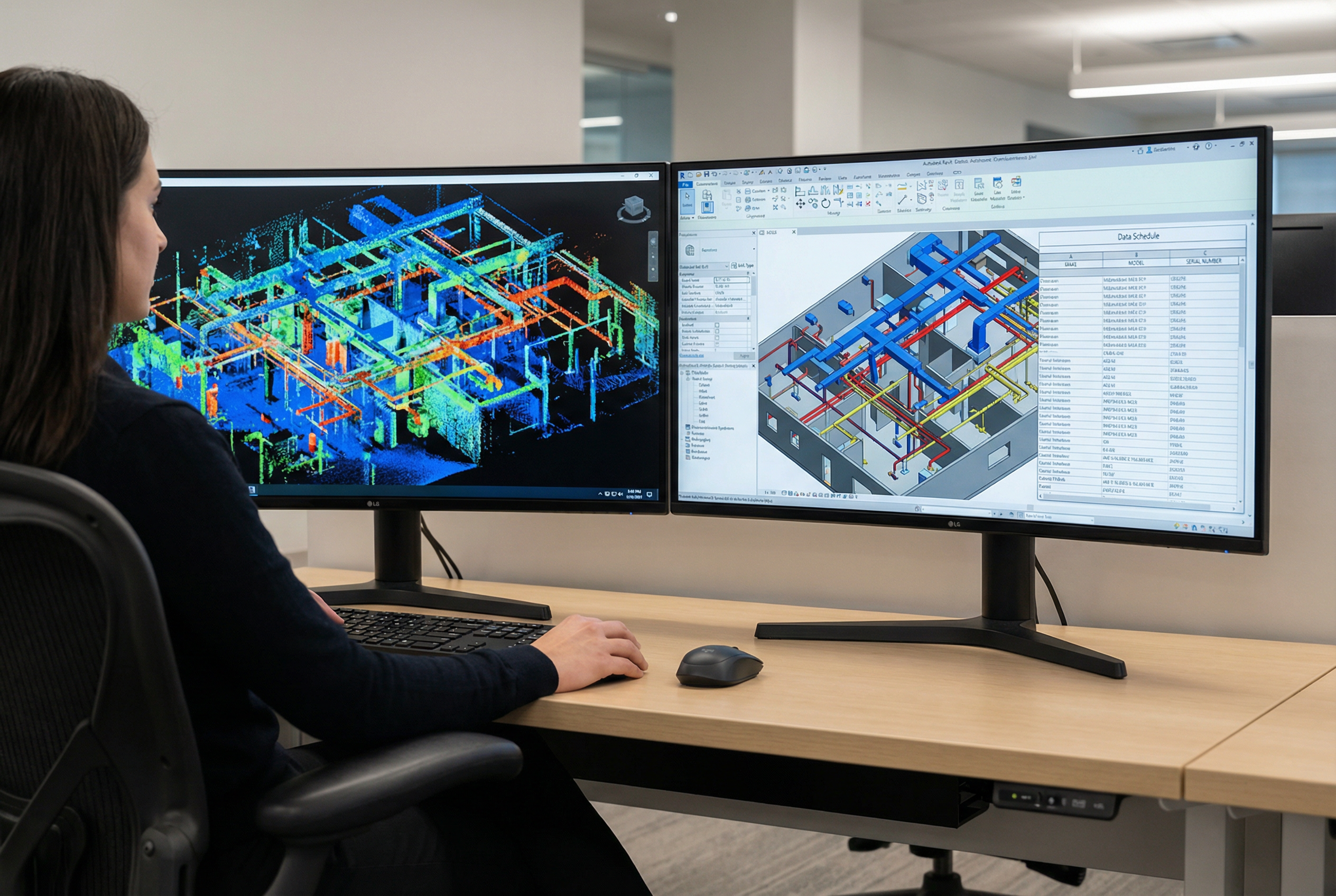
Consider what verified equipment documentation enables for a multi-building portfolio:
- Replacement priority ranking: Equipment age data identifies which assets are approaching end of design life, enabling sequenced capital allocation rather than reactive emergency replacement
- Multi-year forecasting: A 5–10 year capital forecast built on verified asset inventory is a defensible budget request; one built on rough estimates is not
- Renovation baseline value: When a floor or wing is scheduled for renovation, the existing scan becomes the design basis — eliminating the pre-design survey cost that typically adds weeks and budget to project initiation
- Insurance and risk documentation: Verified asset inventories support property insurance documentation with accurate equipment values and locations
For illustrative context, consider a large office campus with multiple buildings and hundreds of HVAC units: a facility team working from verified equipment age data can identify which units fall within the same replacement window, consolidate procurement, and sequence shutdowns to avoid operational disruption — an outcome that becomes possible only when the documentation baseline is trustworthy.
Robotic Imaging has documented operations for enterprise FM organizations including JLL (Jones Lang LaSalle), one of the premier corporate real estate and facility management firms globally, and TravelCenters of America for multi-site facility documentation at scale. With 100+ million square feet documented across commercial, retail, and industrial environments, the operational scale of facility portfolios is not unfamiliar territory.
> Evaluating scan-to-BIM for capital planning across a multi-site portfolio? See how Robotic Imaging supports enterprise facility documentation at scale.
Space Management and Occupancy Optimization
Accurate floor plans are foundational to space management — and most facilities are operating from floor plan records that no longer reflect current conditions. Demountable partitions moved during a reconfiguration, MEP infrastructure that constrains future layouts, and square footage records that have drifted from lease documentation are all routine problems for FM teams.
LOD 300 Scan-to-BIM documentation delivers dimensionally accurate floor plans with verified square footage calculations — not CAD redraws of old drawings, but geometry captured from the building as it currently exists. For space management workflows, this accuracy matters across several applications:
- Space programming: Accurate gross and net square footage per floor, zone, and department supports utilization analysis and space allocation decisions
- Occupancy analysis: Verified room dimensions enable headcount modeling for hybrid work reconfiguration without physical remeasurement
- Lease verification: Measured square footage aligned with lease documentation eliminates disputes over rentable area calculations
- Reconfiguration modeling: Design teams working from verified as-built geometry can model partition changes, furniture layouts, and mechanical modifications against accurate existing conditions
For space management and facility operations documentation, the MATTERPORT Pro3 component of the deliverable adds a navigable 360° visual layer alongside the point cloud. Staff orientation, remote space assessment, and contractor briefings all benefit from a visual walkthrough tied to the same spatial data underlying the BIM model.
Facility directors managing portfolio-level decisions — consolidating floors, planning densification, evaluating lease renewals — gain a significant analytical advantage when space data is verified rather than estimated.
Emergency Response and Facility Safety Documentation
When an emergency occurs in a commercial building, response time and situational awareness depend directly on documentation quality. First responders navigating an unfamiliar building, maintenance staff locating emergency shutoffs, and security teams executing evacuation plans all perform better when the facility record is accurate and accessible.
LOD 300 BIM documentation produced through facility manager scan-to-BIM captures the information emergency response teams need: utility shutoff locations, fire suppression system layouts, electrical panel locations and labeling, egress routes, and stairwell access points. This information exists in the building — the documentation challenge is capturing it accurately and making it accessible.
The MATTERPORT Pro3 deliverable component extends this capability with immersive 360° facility walkthroughs accessible on any web-connected device. Emergency responders unfamiliar with the building can orient themselves before entry. Fire departments can pre-plan response routes. New maintenance staff can locate equipment rooms without a guided tour.
Point cloud archives further support safety documentation — the raw scan data captures spatial geometry that can be queried for clearance verification, egress width confirmation, and equipment clearance compliance without requiring a return site visit.
For FM teams responsible for life safety system documentation and emergency preparedness planning, the combination of LOD 300 BIM geometry and MATTERPORT visual walkthroughs creates a facility record that serves both routine operations and emergency response.
Documentation Maintenance: Keeping Your Facility Baseline Current
The initial scan-to-BIM engagement establishes the baseline — a verified, accurate record of the facility as it exists at a specific point in time. Maintaining that baseline requires a structured approach to updates, because buildings change.
The point cloud archive is the foundation of a long-term documentation strategy. Raw scan data captured by the LEICA RTC 360 at ±1/16 inch accuracy does not depreciate — it remains a reference record of conditions at the time of capture. When renovations, equipment replacements, or infrastructure modifications occur, a targeted re-scan of affected areas updates the BIM model without requiring full-building recapture.
A practical documentation maintenance framework for facility operations looks like this:
1. Initial scan: Full-building LOD 300 BIM model and point cloud archive established 2. Post-renovation updates: Affected floor or zone rescanned after major modifications; BIM model updated to reflect current conditions 3. Equipment replacement tracking: New equipment nameplate data captured and updated in BIM asset records; CMMS linked records updated accordingly 4. Periodic full-building refresh: For large portfolios where documentation drift accumulates over time, a full-building rescan every 5-7 years revalidates the baseline
This approach avoids the documentation decay that makes most facility records unreliable within a few years of creation. The capital planning value of scan-to-BIM documentation compounds over time as the baseline is maintained — each renovation design can proceed directly to planning rather than discovery.
Your Facility Documentation Assessment: Next Steps
For facility managers evaluating scan-to-BIM vendors, the differentiating question is not whether a provider can produce a BIM model — it is whether they understand the FM-specific documentation requirements that make the deliverable operationally useful.
Robotic Imaging delivers facility operations documentation built for how FM teams actually work: LOD 300 Revit BIM models with MEP equipment inventory, nameplate data, CMMS-compatible structured exports, point cloud archives, and MATTERPORT visual walkthroughs — captured in 2-3 days per building and delivered complete in 10-14 business days.
Trusted by enterprise FM organizations including JLL and deployed across multi-site portfolios for clients like TravelCenters of America, with 100+ million square feet documented across commercial and operational environments, Robotic Imaging brings the scale and FM-specific methodology facility directors need to establish a documentation baseline that supports operations for years.
Frequently Asked Questions
How does scan-to-BIM integrate with CMMS systems? LOD 300 BIM documentation delivers equipment objects with structured attribute data — make, model, serial number, location, system type — that exports in formats compatible with ServiceNow, ServiceChannel, IBM Maximo, and Planon. The specific transfer method (structured data export vs. API connection) depends on your CMMS configuration; Robotic Imaging's project team aligns export formats to your platform requirements during scoping.
How long does facility laser scanning take? Field capture runs 2-3 days per building using the LEICA RTC 360 and supporting equipment. Building operations continue uninterrupted throughout scanning — no shutdowns required. Complete LOD 300 BIM deliverables are returned in 10-14 business days from field capture completion.
How often should facility BIM documentation be updated? The point cloud archive captured at initial scan serves as a permanent reference record. BIM model updates are recommended after major renovations, significant equipment replacements, or infrastructure modifications. A full-building rescan every 5-7 years revalidates the baseline for facilities with ongoing change activity.
Ready to establish a verified facility documentation baseline?
> 🔵 Request a Facility Documentation Assessment — Scope your building portfolio, timeline, and LOD 300 deliverable requirements with Robotic Imaging's FM documentation team. > > 🔵 Schedule an FM Consultation — Discuss CMMS integration, capital planning workflows, and multi-building sequencing with a project specialist. > > 🔵 Download the Facility Manager Scan-to-BIM Guide — Implementation framework, equipment documentation methodology, and CMMS integration checklist for FM teams evaluating scan-to-BIM.
Written by
Robotic Imaging