IT Manager Mobile Asset Platform: Architecture Guide

Robotic ImagingApril 13, 2026
IT Manager Mobile Asset Platform: Architecture and Integration
For CIOs and technology directors evaluating mobile asset management platforms, the challenge is rarely the business case — your facilities and operations stakeholders have already made that argument. The real work begins when IT must validate whether a proposed platform can actually live inside your enterprise architecture without creating new security vulnerabilities, fragmented authentication, or integration debt that outlasts the vendor relationship.
Mobile asset management platform architecture for IT managers requires: cloud-native infrastructure (AWS/Azure, 99.9% uptime SLA, automated disaster recovery), native iOS and Android mobile apps with offline capability, RESTful APIs integrating existing CMMS systems (ServiceNow, IBM Maximo, SAP), SSO authentication via SAML/OAuth (Azure AD, Okta), AES-256 data encryption with SOC 2 Type II certification, and database scalability supporting 10,000+ concurrent users and 10M+ equipment records.
This article walks through six architecture validation domains — cloud infrastructure, native mobile technology, API integration, security compliance, scalability specifications, and deployment methodology — with the technical specificity your security team and integration engineers need before signing off.
Ready to validate architecture before your next stakeholder meeting? Request an IT Architecture Review to receive technical specifications matched to your existing stack.

The IT Validation Gap in Mobile Asset Management
When a facilities director requests "a mobile app to document our equipment," they are describing a user experience problem. When that request lands on an IT director's desk, it becomes a six-domain architecture evaluation: Is the cloud infrastructure enterprise-grade? Does the API surface connect with ServiceNow or IBM Maximo without duplicate data silos? Can the mobile app run securely on employee-owned devices with variable store WiFi? Is there a documented SSO path so this doesn't become shadow IT? Has the platform passed SOC 2 Type II audit? And will it hold under concurrent load from 1,000+ store managers documenting simultaneously on a Tuesday morning?
The platforms that pass IT validation are not simply the ones with the best mobile UX. They are platforms built with IT governance requirements as a first-class architectural concern — not bolt-on compliance features added after launch.
IBM Maximo Application Suite and ServiceNow ITAM both carry enterprise credibility, but their mobile capability is designed for trained maintenance technicians executing work orders, not distributed store-level staff self-documenting HVAC units, refrigeration equipment, and rooftop assets during daily operational walks. UpKeep positions as "mobile-first CMMS" but serves mid-market maintenance teams, not Fortune 500 retail deployments requiring concurrent documentation across 4,000 locations.
Robotic Imaging's platform was purpose-built for exactly this gap: enterprise-grade IT architecture supporting non-technical self-service mobile documentation at retail scale. The validation proof is concrete — 7-Eleven has deployed across 1,000+ sites, and Dollar General is executing a 4,000-location rollout — both under Fortune 500 IT governance requirements.
Here is the architecture documentation your team needs.
Cloud Architecture & Infrastructure: Reliability Your Security Team Can Verify
Robotic Imaging's mobile asset management platform operates on multi-region cloud infrastructure (AWS and Azure) with a documented 99.9% uptime SLA — the quantified reliability commitment your infrastructure team needs before approving enterprise deployment.
Availability and Disaster Recovery
The platform's disaster recovery architecture targets a Recovery Time Objective (RTO) of under 4 hours and a Recovery Point Objective (RPO) of under 1 hour. This means in a worst-case infrastructure event, your equipment documentation data is restored to within one hour of the failure point, and full platform availability is restored within four hours — SLA terms your business continuity team can evaluate against internal standards.
Daily automated backups with geographic replication ensure data redundancy across regions. For enterprises with data residency requirements — a common compliance gate in retail — regional data storage options are available to keep equipment records within required jurisdictions.
Auto-Scaling Under Retail Load Patterns
Retail operations create predictable load spikes: store managers documenting during morning walk-throughs, regional maintenance reviews at quarter-end, and audit preparation periods where 500+ locations may be actively uploading simultaneously. The platform's auto-scaling infrastructure handles these concurrency patterns without degraded performance. Database architecture supports sub-second query response times at scale, with indexing optimized for the specific query patterns of multi-location equipment portfolio management — asset lookups by location, equipment category, last-documentation date, and maintenance status.
Operational Monitoring
Continuous infrastructure monitoring with automated alerting provides IT operations teams visibility into platform health without requiring dedicated monitoring infrastructure on the customer side. API health endpoints are available for integration with existing enterprise monitoring stacks (Datadog, New Relic, PagerDuty), enabling IT teams to include platform availability in their standard NOC dashboards.
Native Mobile App Technology: Why Swift and Kotlin Matter for IT
The distinction between native mobile apps and hybrid/web-wrapper alternatives is not a marketing preference — it is an architectural decision with direct implications for offline reliability, local data security, and device management integration.
Robotic Imaging's mobile apps are built natively: iOS in Swift, Android in Kotlin. This is not incidental. Native development means the platform uses Apple's Core Data framework for local storage on iOS and Android's Room database on the Kotlin side — purpose-built local persistence layers with encryption APIs, not generic web storage mechanisms that vary in security behavior across device models and OS versions.
Offline Capability Architecture
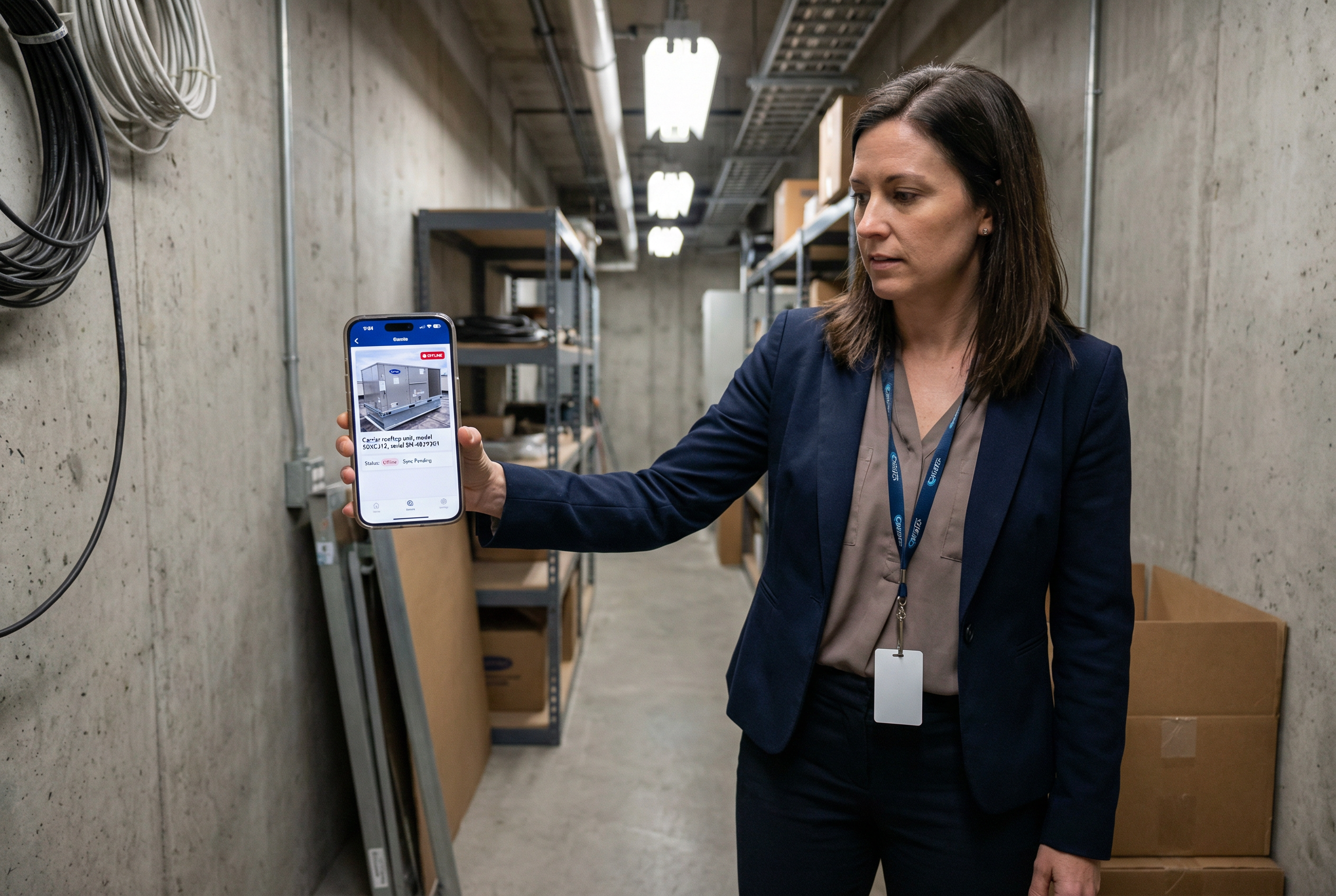
Store WiFi is not a reliable foundation for an enterprise mobile documentation platform. Any architecture requiring consistent connectivity to function will fail in retail deployment — distribution center back rooms, rooftop equipment areas, and basement mechanical rooms routinely have no signal. Robotic Imaging's platform is offline-first by design, not offline-as-fallback.
The app caches 1,000+ equipment records locally on each device, enabling full documentation functionality without any network connectivity. When connectivity is restored, background sync automatically reconciles local data with the cloud database. The conflict resolution engine handles simultaneous edits from multiple store managers without data corruption — critical when regional teams are documenting the same multi-unit locations concurrently.
Load performance is under 2 seconds on standard store hardware, with 60fps scrolling throughout the documentation interface — specifications that matter when non-technical store managers with limited technical patience are expected to use the platform consistently.
Mobile Device Management Integration
App distribution integrates with Apple Business Manager (ABM) for managed iOS deployment and Google Play Enterprise for Android managed configurations. This means your MDM team can deploy the app across managed device fleets through existing Jamf, Microsoft Intune, or VMware Workspace ONE workflows — no sideloading, no manual installation at scale.
For BYOD environments, the platform supports app-level containerization ensuring equipment documentation data is isolated from personal device storage. Remote wipe capability clears all locally cached equipment data from a device upon MDM command — critical for offboarding or lost device scenarios in a distributed retail workforce.
RESTful API Architecture & System Integration
The most common IT objection to adding a specialized mobile documentation platform is: "We already have IBM Maximo and ServiceNow. We're not replacing them." The correct answer is that Robotic Imaging's platform is designed to feed into your existing CMMS, not displace it.
The API architecture is RESTful, JSON-native, with versioned endpoints (/v1/, /v2/) that maintain backward compatibility across releases. Your integration engineers can implement CMMS connectors using standard REST client libraries without platform-specific SDKs or proprietary middleware.
CMMS and ERP Connectors
Purpose-built connectors are available for the three platforms most commonly deployed in enterprise retail IT environments:
- ServiceNow ITSM/ITAM: Equipment records documented in Robotic Imaging push to ServiceNow asset tables via REST, enriching your ITSM asset registry with manufacturer specs, model numbers, serial numbers, installation dates, and photo documentation extracted by AI from smartphone captures. ServiceNow receives better data; your team doesn't document twice.
- IBM Maximo Application Suite: Work order creation in Maximo can be triggered by documentation events in Robotic Imaging — when a store manager documents equipment showing visible degradation, the Maximo connector creates a corresponding work order with the asset record pre-populated. Maintenance technicians receive enriched work orders without manual data re-entry.
- SAP Plant Maintenance (PM): Equipment master records in SAP PM are updated via API push as documentation events occur, keeping financial asset registers aligned with physical equipment state in real time.
ERP integration extends to financial systems for asset depreciation feeds — when new equipment is documented and added to the portfolio, financial data exchange triggers update asset registers in SAP FI or Oracle Financials without manual reconciliation.
SSO and Identity Management
The authentication architecture uses SAML 2.0 and OAuth 2.0, with certified integrations for Azure Active Directory and Okta — the two identity providers most commonly deployed in Fortune 500 retail IT environments. User provisioning via SCIM 2.0 enables automated account lifecycle management: when a store manager is added to your Azure AD directory, the Robotic Imaging account is automatically provisioned with the appropriate role and location assignments. Offboarding deprovisioning is equally automated.
Multi-factor authentication enforcement is configurable at the tenant level, with support for authenticator apps and hardware security keys. This eliminates the shadow IT risk of a standalone platform managing its own user credential store outside your identity governance framework.
Developer Documentation
The full API surface is documented in OpenAPI/Swagger format, available through a developer portal. Your integration engineers can explore endpoints, test requests, and review schema definitions independently — without waiting on vendor professional services for each integration sprint.
Security Architecture & Compliance
Security validation is typically the final IT gate before enterprise deployment approval. The relevant specifications:
Encryption Standards
Data at rest is encrypted using AES-256 — the NIST-recommended standard for federal and enterprise data protection. Data in transit is protected by TLS 1.3, the current protocol standard that eliminates vulnerabilities present in TLS 1.2 (still common in legacy enterprise platforms). Locally cached mobile data uses the same AES-256 encryption through the native iOS Keychain and Android Keystore APIs — not application-layer encryption that varies by implementation quality.
SOC 2 Type II Certification
Robotic Imaging maintains SOC 2 Type II certification with annual third-party audit. The Type II distinction matters: Type I is a point-in-time assessment, while Type II validates that security controls operated continuously and effectively over the audit period (typically 6–12 months). Your security team can request the most recent SOC 2 Type II report directly to satisfy vendor security review requirements.
Access Controls and Audit Trail
Role-based access control (RBAC) is implemented across the full organizational hierarchy: store-level users document equipment within their assigned locations; regional managers access portfolios across their districts; corporate administrators have tenant-wide visibility and configuration authority. This maps cleanly onto typical retail organizational structures without requiring custom role engineering.
Audit trails capture all user actions — documentation events, data modifications, access events, and admin changes — with immutable logging retained for 12+ months. This satisfies both internal compliance requirements and regulatory audit obligations in sectors with equipment documentation mandates.
Additional Compliance Posture
GDPR compliance is implemented for EU data subjects, including data subject access request handling and the right to erasure where applicable. Quarterly penetration testing by independent security firms provides ongoing validation of the security posture beyond annual SOC 2 scope. Vulnerability disclosure procedures and security patch SLAs are documented in the master service agreement.
Scalability Specifications: Architecture Validated at Enterprise Retail Scale
IT architecture validation requires more than vendor claims — it requires proof of scale under conditions comparable to your deployment.
The platform database architecture supports 10,000+ concurrent users and 10M+ equipment records with sub-second query performance. These are not theoretical benchmarks; they are specifications exercised under the actual deployment conditions of the 7-Eleven and Dollar General programs.
At 7-Eleven's 1,000+ site deployment, the platform handles concurrent documentation sessions from store managers across all time zones simultaneously — peak load periods where hundreds of managers are actively uploading equipment photos and the AI extraction pipeline is processing spec data in parallel. Dollar General's 4,000-location planned rollout represents one of the largest distributed mobile documentation deployments in enterprise retail — an architecture stress test that validates performance at a scale most enterprise IT teams will never need to exceed.
For IT directors asking "can this handle 1,000+ concurrent store managers documenting simultaneously?" — the answer is demonstrated, not projected. This architecture has been validated under Fortune 500 IT governance requirements with the security reviews, integration complexity, and scale demands that Fortune 500 procurement processes require before a platform reaches store deployment.
Deployment Methodology: Pilot to Enterprise Rollout
Enterprise IT approvers managing $50K–$500K+ platform investments require structured deployment methodology that controls risk across the integration and rollout phases. Robotic Imaging's deployment approach is designed to protect IT teams from the integration unknowns that create project overruns.
Phase 1: Pilot Validation (4–6 Weeks)
A 5–10 store pilot establishes SSO integration, validates API connectivity with your existing CMMS, and confirms mobile app behavior on your managed device fleet. Integration engineers test the ServiceNow or IBM Maximo connector in a sandbox environment before any production data exchange. This phase produces documented integration specifications and performance baselines your IT team can use to plan the broader rollout.
Phase 2: Integration Hardening (4–8 Weeks)
Full CMMS and ERP integration is implemented against production systems with load testing at projected concurrent user volumes. Integration edge cases — conflicting asset records, partial sync scenarios, authentication token refresh behavior — are documented and resolved before regional rollout begins. Your security team performs final review against SOC 2 documentation and encryption specifications during this phase.
Phase 3: Phased Regional Rollout (12–24 Months)
Regional deployment in waves allows concurrent user monitoring against the 10,000+ user capacity baseline. App distribution via Apple Business Manager and Google Play Enterprise scales consistently — no manual installation coordination at each new location group. API versioning ensures that app updates deployed through managed channels maintain backward compatibility with your CMMS connector configuration, eliminating forced synchronous update requirements across the full location fleet.
Phase 4: Ongoing Operations
Support SLAs, quarterly platform updates with advance notification, and continuous infrastructure monitoring provide ongoing IT operational confidence. The platform's API versioning commitment means your integration investment is protected across product releases — a critical long-term architecture assurance for IT teams that cannot absorb integration re-work with each vendor update cycle.
IT Architecture Validation: Six Domains Confirmed
The six technical evaluation criteria that CIOs and technology directors require before approving a mobile asset management platform deployment have specific answers in Robotic Imaging's architecture:
- Cloud reliability: 99.9% uptime SLA, multi-region AWS/Azure infrastructure, RTO <4 hours, RPO <1 hour, daily automated backups with geographic replication
- API integration: RESTful, versioned endpoints, ServiceNow/IBM Maximo/SAP PM connectors, SCIM 2.0 provisioning, OpenAPI/Swagger developer documentation
- Security compliance: SOC 2 Type II certified, AES-256 at rest, TLS 1.3 in transit, encrypted local mobile storage, remote device wipe, 12+ month audit trails
- Native mobile capability: Swift (iOS) + Kotlin (Android), 1,000+ equipment cached offline, <2 second load, MDM integration via Apple Business Manager and Google Play Enterprise
- Scalability: 10,000+ concurrent users, 10M+ equipment records, sub-second queries — validated at 7-Eleven 1,000+ sites and Dollar General 4,000-location rollout
- Deployment structure: 4-phase methodology from pilot SSO validation through phased enterprise rollout with integration hardening checkpoints
The architecture is not a product roadmap aspiration. It is the infrastructure running one of the largest distributed mobile equipment documentation programs in enterprise retail, validated under the IT governance requirements of Fortune 500 procurement.
Three ways to move your IT validation forward:
- Request an IT Architecture Review — Robotic Imaging's technical team walks through your existing stack (CMMS, ERP, SSO) and produces a specific integration architecture document for your environment
- Schedule a Technical Briefing — 60-minute call with solution architects for your IT security team, covering SOC 2 audit results, encryption specifications, and API documentation in detail
- Download IT Technical Specifications — Full technical spec sheet including uptime SLA terms, API reference summary, security certifications, and scalability benchmarks for your internal review process