Renovation Rework? Scan-to-BIM Services for Architects
Filed under
Robotic ImagingMarch 2, 2026
Scan-to-BIM for Architects: Design & CD Services
For architects managing renovation, tenant improvement, or addition projects, assumption-based design is one of the highest-risk phases of any project. When existing conditions documentation relies on manual measurements and field sketches, design conflicts discovered during construction become costly change orders — and permit reviewers flag inaccurate drawings. Scan-to-BIM services for architects solve this by delivering LOD 300 Revit existing conditions models in 10-14 business days that architects link directly into their design files, enabling verified coordination before a single dollar is spent in the field.
If you're evaluating vendors for your next renovation or tenant improvement project, this guide covers exactly how the workflow integrates with your design process, what LOD 300 delivers for permit submissions, and what Robotic Imaging provides that manual field measurement cannot.
For foundational context, see our complete guide to Scan-to-BIM services and our Scan-to-BIM services for architects overview.
Why Architects Can't Afford Assumption-Based Design
Every renovation project begins the same way: you walk an existing building, sketch dimensions, photograph conditions, and return to the office to build a Revit model from notes that are already incomplete. Ceiling heights are estimated. Wall thicknesses are assumed. MEP penetrations that weren't visible on-site become surprises when a subcontractor cuts into a ceiling.
The result is a design developed on conditions that don't fully exist. When construction begins and the actual conditions surface, the cost conversation shifts from design fees to change orders — and the architect is frequently the first call.
Scan-to-BIM services for architects address this at the source. Rather than assumptions filling the gaps in your existing conditions documentation, a verified point cloud captures the building at ±2-4mm accuracy, and that data becomes the foundation for a LOD 300 Revit model delivered in 10-14 business days from site capture.
Scan-to-BIM for architects delivers LOD 300 Revit existing conditions models that architects link into their design files to overlay proposed designs. The process enables coordination checking to identify conflicts before construction, provides accurate existing conditions for permit submissions, and replaces assumption-based design with verified measurements — reducing change order risk across renovation and tenant improvement projects.
For readers newer to the methodology, see what is Scan-to-BIM for a foundational overview. For a direct comparison to traditional approaches, Scan-to-BIM vs traditional surveying methods covers the operational differences in detail.
> Ready to get a quote for your project? Request an Architectural Documentation Quote →
How Scan-to-BIM Integrates Into Your Revit Workflow
This is the section competitors don't publish — the actual workflow from scan to linked Revit file. Understanding this removes the "will it work in our setup?" objection before it becomes a reason to delay.
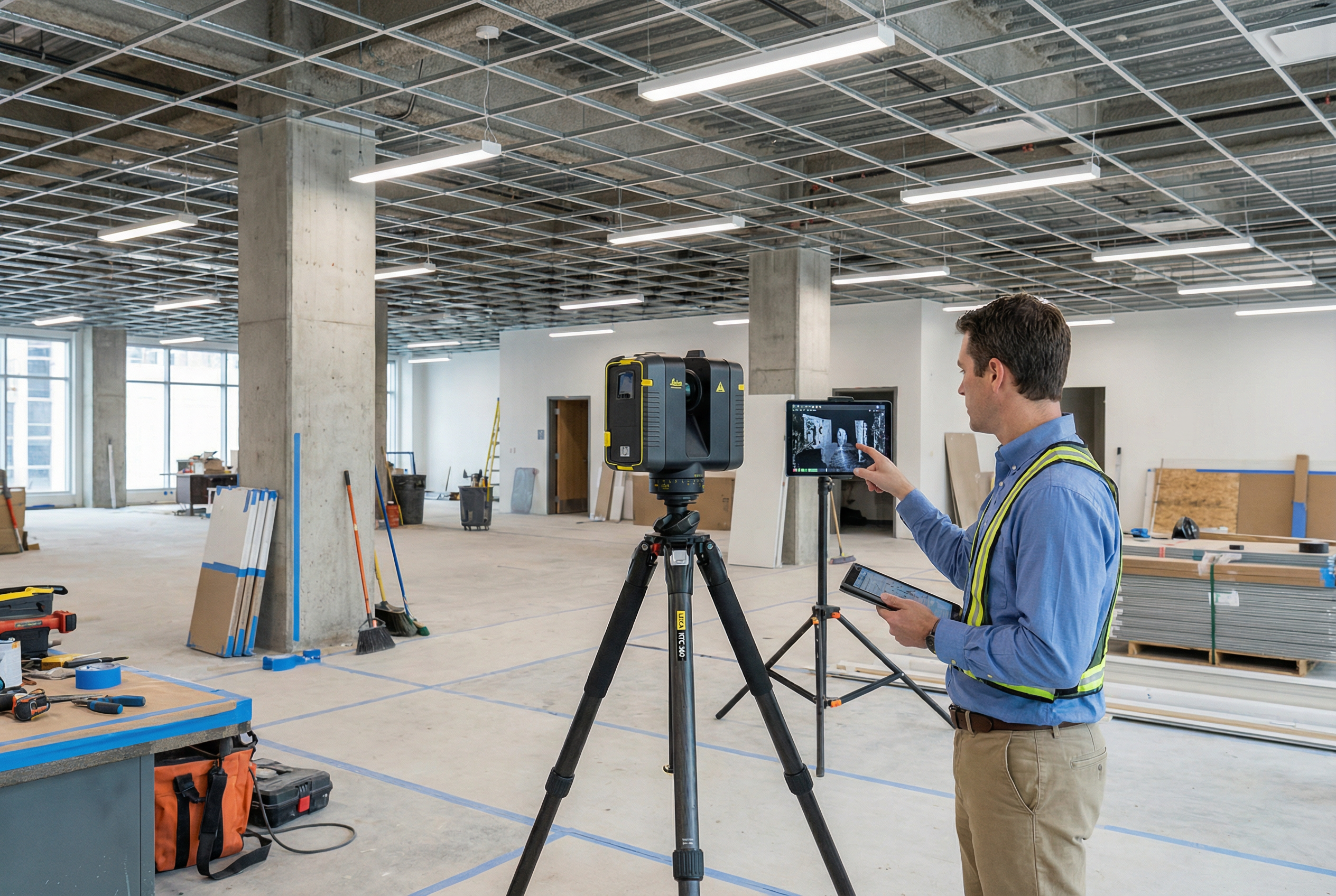
Step 1 — Field Capture (2-3 Days) A Robotic Imaging field team deploys the LEICA RTC 360, capturing the building interior at 2,000,000 points per second with ±1/16 inch (±2mm) accuracy. Scan positions are set at intervals to achieve full coverage of walls, ceilings, structural columns, slab-to-slab heights, openings, and MEP penetrations. Complex ceiling conditions — the elements most frequently missed in manual surveys — are captured completely. For most commercial renovation projects, field capture completes within 2-3 days regardless of building complexity.
Step 2 — Point Cloud Registration and Processing (3-5 Days) Raw scan data is registered into a unified point cloud in RCS and E57 formats. Registration aligns each scan position into a single, spatially accurate dataset. This point cloud becomes a permanent reference available to your team throughout the design process — not just at model delivery.
Step 3 — LOD 300 BIM Modeling (7-10 Days) BIM technicians model the existing conditions from the registered point cloud, producing a Revit (.rvt) file organized by architectural discipline. Walls, floors, ceilings, structural elements, door and window openings, and MEP zones are modeled to LOD 300 specification — sufficient for design development overlays, coordination checking, and permit submissions.
Step 4 — Linking Into Your Design File The delivered .rvt file links directly into your active Revit design model using Revit's standard Link Revit function. Your proposed design overlays on verified existing conditions. Coordination conflicts surface in the model before they surface in the field. The point cloud (RCS format) remains available as a background reference for design verification throughout the project.
For projects requiring BIM coordination with mechanical or structural consultants, this workflow connects directly to the BIM coordination workflow your BIM manager uses for clash detection.
Addressing the "Our Revit Template Is Specific" Concern Deliverables are structured to accommodate your firm's Revit template or provided in a standard template your team can merge. Categories are organized by architectural discipline — no rework required to match your layer conventions or view organization.
LOD 300 Deliverables for Design Development & Permit Documents
The most common architect question about scan-to-BIM isn't "how does it work" — it's "is LOD 300 accurate enough for what I'm submitting?"
The answer requires distinguishing two accuracy levels that often get conflated:
Point Cloud Accuracy: The LEICA RTC 360 captures the building at ±2-4mm — this is the fidelity of the underlying data. Every modeled element is derived from a point cloud that is more accurate than any manual measurement your team can produce in the field.
LOD 300 Modeled Accuracy: The BIM model itself is accurate to the point cloud, with elements modeled to represent quantity, size, shape, location, and orientation. LOD 300 is the appropriate specification for design development and construction document production on renovation and tenant improvement projects. Permit reviewers receive accurate existing conditions drawings because the model reflects actual field conditions — not estimated ones.
For architects working on MEP-intensive renovations or projects with tight structural constraints, LOD 350 adds interface and connection geometry that supports multi-discipline coordination. For projects where structural or MEP consultants need to coordinate off the same model, LOD 350 eliminates coordination gaps that LOD 300 leaves unresolved. See our LOD 300 vs LOD 350 comparison for guidance on which specification fits your project scope.
Design development documentation produced from a verified LOD 300 model differs fundamentally from documentation produced from manual measurements. Slab-to-slab heights are confirmed, not assumed. Existing wall thicknesses are verified, not estimated from building plans that may not reflect renovations made since original construction. Structural column locations are dimensionally accurate rather than approximated from a tape measure and a field sketch.
Not sure which LOD your project needs? Schedule a consultation to discuss your scope before committing to a specification.
Construction Document Support: Accurate Existing Conditions for CDs
The design phase benefit is clear — but scan-to-BIM for architects extends through construction document production in ways that eliminate a specific category of late-stage risk.
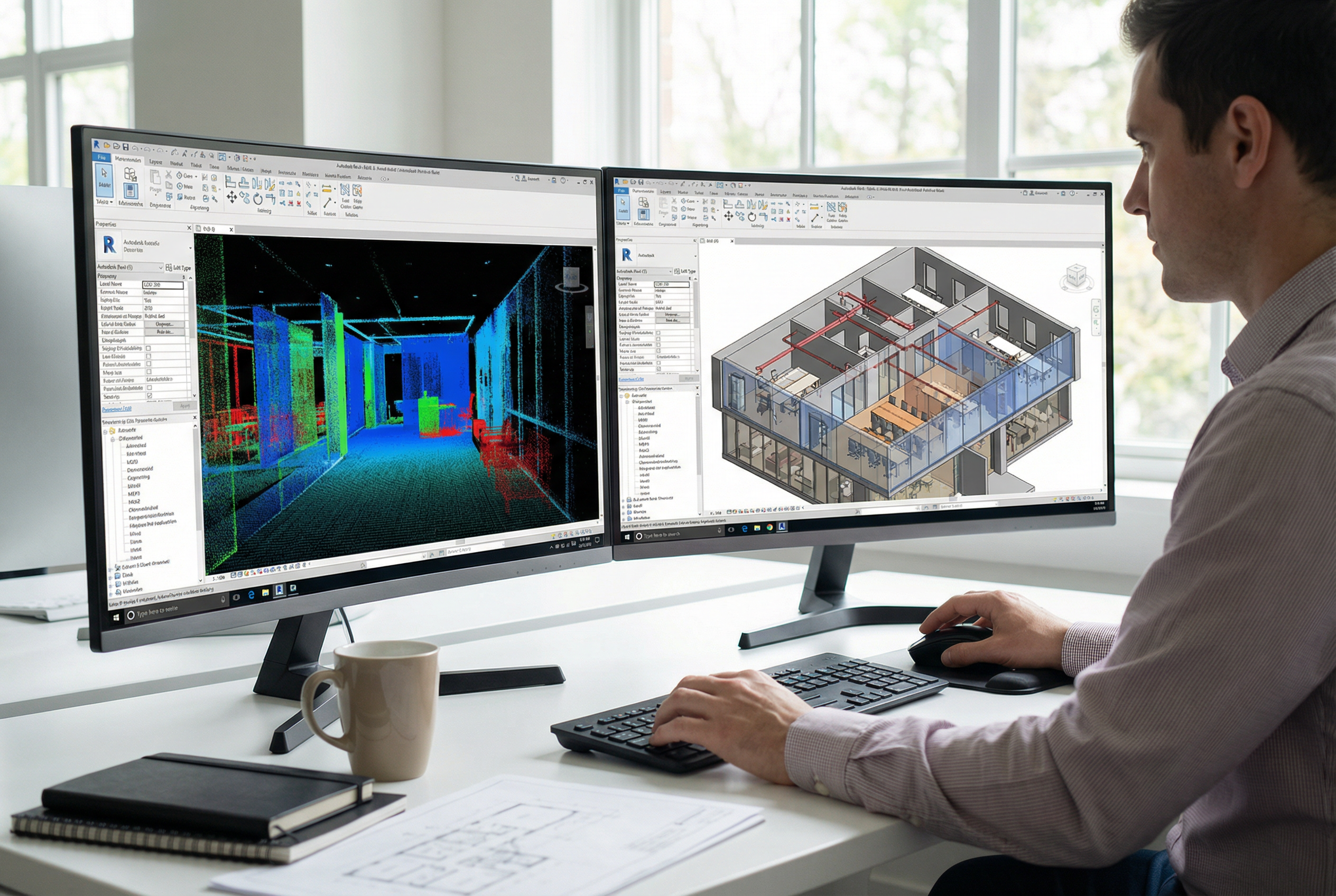
When CDs are produced from a linked existing conditions model rather than assumptions, several things happen that don't happen when conditions are guessed:
Dimension strings match field reality. Existing wall locations on permit documents reflect where walls actually are — not where they were assumed to be based on a tape measure run on a busy construction site.
Section cuts through existing conditions are accurate. Ceiling assemblies, structural depths, and wall sections in CDs show actual conditions. When a GC reads your section and goes to field-verify, what they find matches what you drew.
Change orders from existing conditions conflicts decrease. This is the ROI calculation that justifies scan-to-BIM cost against the alternative. A single change order on a commercial renovation averages $10,000-$40,000 depending on scope. The avoided conflicts from accurate existing conditions documentation typically exceed the total scan-to-BIM investment on projects of meaningful size.
The point cloud stays accessible. Throughout the CD phase, your team accesses the registered point cloud for field verification without returning to the site. When a question arises about an existing condition — wall thickness at an opening, slab edge location, column depth — the answer is in the point cloud. That's a site visit that doesn't happen.
Robotic Imaging has documented over 100 million square feet across commercial renovation, tenant improvement, and addition projects — including work for architecture and engineering firms Colliers Engineering and Nelson Worldwide, both of whom use verified existing conditions data to support CD production on complex commercial projects.
Enhancing Client Presentations With 3D Existing Conditions
Beyond design and CD support, scan-to-BIM data enables a client presentation capability that 2D floor plans can't match.
When Robotic Imaging deploys the MATTERPORT Pro3 alongside laser scanning, the same site visit produces a 360° virtual tour of existing conditions in addition to the point cloud. This immersive documentation lets your clients walk through existing spaces remotely — understanding spatial relationships, ceiling heights, natural light conditions, and architectural character before the design process begins.
For renovation projects where clients struggle to visualize how proposed changes will transform existing spaces, pairing a 360° existing conditions tour with 3D design renderings creates a before/after communication tool that reduces approval cycles. Clients who can see where they are and understand where the design is taking them make decisions faster and with more confidence.
For clients who want to understand what is a BIM model and how it relates to their project, this visual format bridges the gap between technical deliverable and design intent communication.
This deliverable is additive — it doesn't replace the Revit existing conditions model but complements it with a client-facing visualization layer that supports design presentations, stakeholder alignment, and leasing/marketing applications for commercial renovation projects.
Architect-Specific Deliverables From Robotic Imaging
Robotic Imaging structures deliverables specifically for architectural design workflows — not generic BIM outputs that require reformatting before they're useful.
Standard architectural scan-to-BIM deliverables include:
- Revit (.rvt): LOD 300 existing conditions model, discipline-organized, compatible with Revit's Link Revit function for direct overlay into your design file
- AutoCAD (.dwg): 2D floor plans, reflected ceiling plans, and sections derived from the 3D model for firms maintaining 2D documentation workflows or consultants requiring CAD-native files
- Point Cloud — RCS format: Linked into Revit for continuous field reference during design and CD phases; query any dimension or condition without a site visit
- Point Cloud — E57 format: Universal format for consultants using non-Revit platforms (structural, civil, specialty) who need the underlying scan data
- Project Dashboard Access: Real-time project visibility during modeling — track progress without email chains
Scope captured for architectural design: Walls, floors, ceilings, structural columns and beams, door and window openings (frame locations and rough openings), slab-to-slab heights, MEP zone locations (penetrations, chase locations, equipment footprints), and exterior building envelope elements relevant to renovation scope.
This is the capture scope architects need for design development and CD production — not a generic "scan everything" output that requires interpretation before it supports design decisions.
See how to choose a Scan-to-BIM provider for the evaluation criteria that matter when comparing vendors on deliverable specifications, timeline reliability, and quality assurance process.
Get Your Existing Conditions Model in 10-14 Days
For architects evaluating whether scan-to-BIM fits their design schedule, the timeline breaks down predictably:
- Field capture: 2-3 business days (scheduling typically within 1 week of project authorization)
- Point cloud processing and registration: 3-5 business days
- LOD 300 BIM modeling: 7-10 business days
- Total from site capture to Revit deliverable: 10-14 business days
This timeline is design-phase compatible. A project authorized after programming can receive a verified LOD 300 existing conditions model before design development milestones — leaving the entire DD phase to run against accurate conditions rather than assumptions.
Robotic Imaging serves architecture and engineering firms including Colliers Engineering and Nelson Worldwide across nationwide project locations with 24/7 scheduling for fast mobilization. Whether you're working a single tenant suite or a multi-floor commercial renovation, the same workflow, equipment, and quality assurance process applies.
Frequently Asked Questions
What LOD do architects need for design development? LOD 300 is the appropriate specification for design development through construction document production on most renovation and tenant improvement projects. LOD 300 models represent size, shape, location, quantity, and orientation of existing building elements with sufficient accuracy for permit submissions. LOD 350 is recommended for projects with complex MEP coordination requirements.
How long does scan-to-BIM take for an architectural project? 10-14 business days from site capture to Revit deliverable — including 2-3 days of field capture, 3-5 days of point cloud processing, and 7-10 days of LOD 300 BIM modeling. Field scheduling typically occurs within one week of project authorization.
How do you use a point cloud in Revit for design? The delivered RCS point cloud file links directly into Revit using Insert > Link Point Cloud. Once linked, the point cloud appears as a 3D reference behind your design model. You can query dimensions, verify existing conditions, and check design clearances against actual field geometry throughout design development and CD production — without returning to the site.
Can scan-to-BIM replace field measurements for construction documents? Yes — with an important operational distinction. The LOD 300 Revit model provides the existing conditions documentation your CDs require. The point cloud remains accessible as a field verification reference throughout the project. For most renovation and tenant improvement scopes, a scan-to-BIM engagement replaces the need to send your own team to measure, eliminating 2-3 days of non-billable staff time per project and the human error inherent in manual measurement of complex conditions.
What is LOD 300 accuracy for permit submissions? Point cloud data captured by the LEICA RTC 360 achieves ±2-4mm accuracy. The LOD 300 Revit model derived from that point cloud accurately represents existing building elements to a precision that exceeds typical permit review requirements for renovation and tenant improvement projects. Permit reviewers receive existing conditions drawings that reflect verified field conditions rather than estimated measurements.
Facing change orders from inaccurate existing conditions? Get a customized quote for architectural scan-to-BIM documentation tailored to your renovation, tenant improvement, or addition project.
Request Design Documentation Quote → Schedule an Architectural Consultation → Download the Architect Service Guide →
Written by
Robotic Imaging