
What Is LOD in BIM? Level of Development Guide
Robotic ImagingMarch 16, 2026
What is LOD in BIM? Understanding Level of Development
LOD, or Level of Development, in BIM describes how much geometric detail and embedded data a model element contains. Defined under AIA E202-2008, LOD ranges from LOD 100 (conceptual massing) to LOD 500 (field-verified as-built). LOD 300 is the most common specification, providing accurate dimensions and material data for design development and renovation projects.
Understanding LOD meaning in BIM is essential for anyone receiving, reviewing, or requesting a BIM model — whether you're a facility manager evaluating a vendor proposal or a project manager coordinating a renovation. This article explains what each level means, how levels align with project phases, and how to choose the right LOD for your specific needs.
What Does LOD Mean in BIM?
Level of Development — not "Level of Detail" — is the most important clarification to make upfront. These two phrases sound identical, but they mean different things, and confusing them in a project scope can lead to misaligned expectations between you and your design or construction team.
Level of Detail refers only to how visually complex a 3D shape appears. Level of Development is broader: it defines both how geometrically accurate a model element is _and_ how much embedded data it carries — specifications, materials, fire ratings, performance values, and more.
Think of the difference like this: a LOD 200 wall element looks like a generic rectangular block. A LOD 300 wall looks like the actual wall and also tells you the exact material composition, thickness, and fire rating. Both have "detail" in the visual sense, but only the LOD 300 element has reached the Level of Development needed for design decisions.
AIA E202-2008 established the LOD framework as a standard way for architects, engineers, contractors, and owners to communicate precisely what a BIM model contains at any given project stage.
LOD Levels Explained: LOD 100 Through LOD 500
Each LOD level represents a step in a progression — from rough conceptual shapes to field-verified, as-built documentation. Think of it like photo resolution: you choose the level of sharpness appropriate for the task, not simply the highest available.
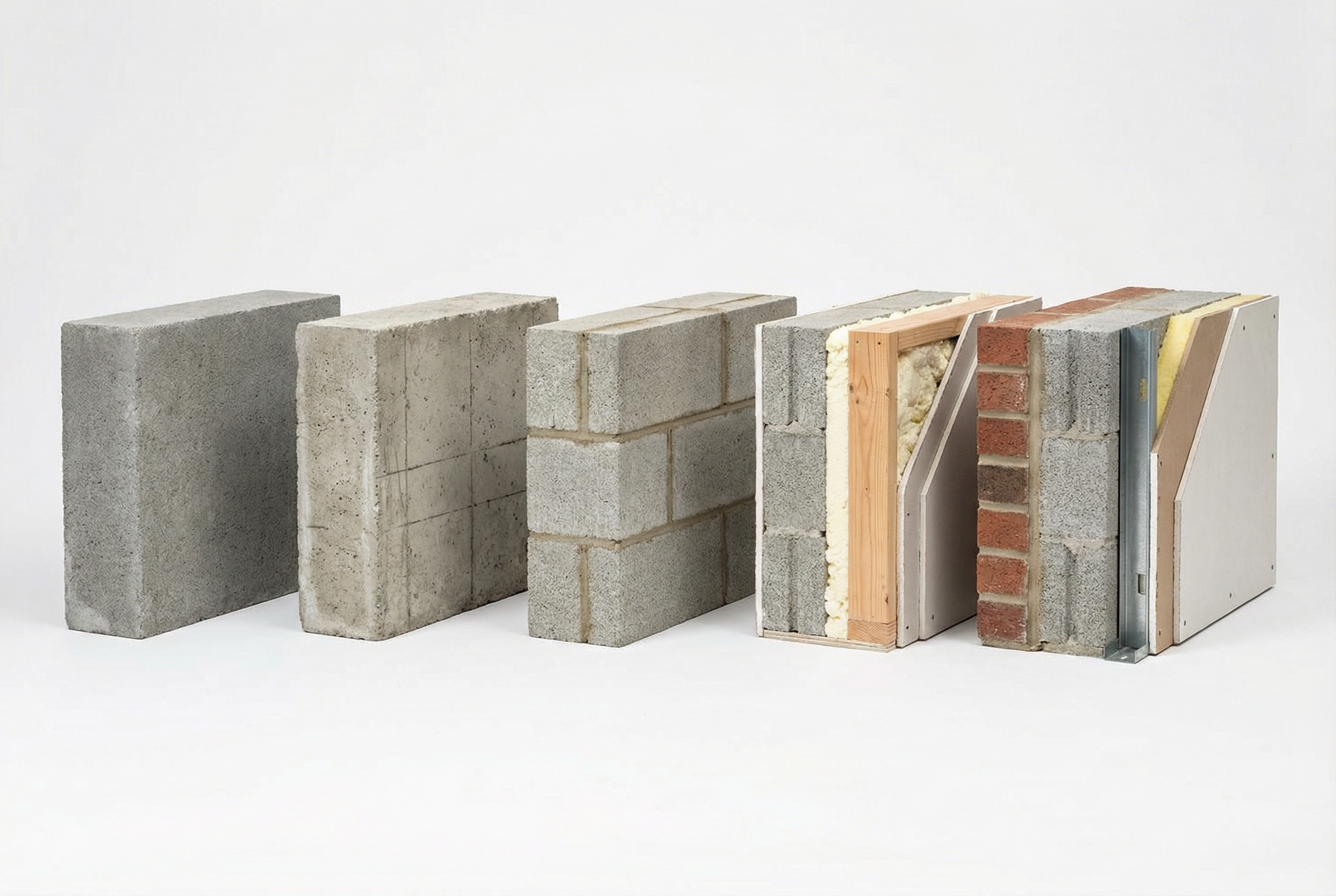
Here is what each level contains:
LOD 100 — Conceptual Massing Simple placeholder shapes representing approximate size and location. No real dimensions or specifications. Used during early schematic design when only rough cost and feasibility estimates are needed.
LOD 200 — Approximate Geometry Generic shapes with approximate size, shape, and location. Some non-geometric data may be attached. Used in early design phases before exact dimensions are confirmed.
LOD 300 — Accurate Geometry Model elements are modeled with specific dimensions, materials, and quantities — accurate to ±2 inches. Specifications, components, and assemblies are defined. This is the most common deliverable in professional Scan-to-BIM projects, covering accurate existing conditions for design development and renovation planning.
LOD 350 — Construction-Ready Coordination Detail Includes all LOD 300 information plus interface and connection details between systems — duct fittings, hanger locations, structural connections. Essential for clash detection in dense MEP environments. Typically adds 20–30% to modeling cost compared to LOD 300.
LOD 400 — Fabrication Detail Full shop-drawing-level precision, accurate to ±½ inch. Used for custom-fabricated elements and prefabrication. Adds 40–60% to modeling cost compared to LOD 300 and is only warranted for specific elements requiring manufacturing specifications.
LOD 500 — Field-Verified As-Built The model has been verified against actual installed conditions in the field. Important distinction: LOD 500 is not simply the final model — it is a model confirmed to match reality after installation. Not all as-built documentation qualifies as LOD 500; that label requires field verification.
LOD Progression Through Project Phases
LOD levels are not assigned to an entire project all at once. Different building systems can carry different LOD levels simultaneously, and the appropriate level changes as a project advances through its phases.
Here is how LOD typically aligns with construction project phases:
- Schematic Design: LOD 100–200 — rough massing, approximate locations, early cost modeling
- Design Development: LOD 300 — accurate dimensions, confirmed materials, coordinated layouts
- Construction Documents: LOD 300–350 — finalized specifications, coordination between disciplines
- Construction Coordination: LOD 350 — clash detection, MEP routing, connection details
- Fabrication: LOD 400 — specific elements requiring shop drawings or prefabrication
- Project Closeout / Facility Management Handoff: LOD 500 — field-verified installed conditions
One important insight that surprises many first-time BIM stakeholders: a structural model might be at LOD 300 while the MEP model is at LOD 350, because the MEP systems require more coordination detail. Specifying LOD at the system level — not just the project level — is a more precise approach.
For renovation projects specifically, work typically begins by documenting existing conditions at LOD 300, then adding design overlays at LOD 300–350 as new systems are introduced.
How to Choose the Right LOD Level
Choosing LOD is a practical decision based on your project's use case, not a default to "the highest available." Over-specifying LOD wastes budget on detail that will not be used; under-specifying creates gaps during coordination.
Use this simple decision framework:
| Project Need | Recommended LOD |
|---|---|
| Early cost estimates, feasibility | LOD 100–200 |
| Renovation design, existing conditions documentation | LOD 300 |
| MEP coordination, clash detection | LOD 350 |
| Custom fabrication, prefabricated components | LOD 400 |
| Facility management model handoff | LOD 500 |
Cost and timeline implications matter here. LOD 350 typically costs 20–30% more than LOD 300 and takes 30–50% longer to model. LOD 400 adds 40–60% to modeling cost and is only justified for specific elements — not entire buildings.
The most common mistake in project scoping is requesting LOD 400 across an entire building when only a few custom elements actually require that level. When requesting Scan-to-BIM services, specifying your required LOD level upfront determines both the pricing and delivery timeline for your project.
LOD in Scan-to-BIM Projects
In Scan-to-BIM projects — where laser scan data of existing buildings is converted into BIM models — LOD determines how precisely the documented conditions are modeled from the point cloud data.
Approximately 85% of Scan-to-BIM projects are delivered at LOD 300. This covers the vast majority of renovation and design development needs: accurate wall locations, ceiling heights, structural column positions, and major mechanical equipment dimensions.
LOD 350 becomes necessary in complex environments where above-ceiling systems are dense and new work must coordinate precisely with existing infrastructure. Healthcare facilities, laboratories, and mechanical rooms are common candidates.
LOD 400 in a Scan-to-BIM context is typically limited to historic preservation projects or situations requiring custom-fabricated replacement elements.
A practical example: a commercial office building undergoing HVAC renovation would typically be documented at LOD 300 — giving the mechanical engineer accurate ceiling heights and existing ductwork dimensions without requiring a site visit. If the new routing needs to navigate around existing structural members and tight ceiling clearances, the scope upgrades to LOD 350 to capture duct fittings, hanger locations, and connection interfaces.
Frequently Asked Questions
What is the difference between LOD and LOI in BIM? LOI stands for Level of Information and refers specifically to the non-geometric data richness of a model element — specifications, manufacturer data, cost codes. In U.S. BIM practice under AIA standards, LOD encompasses both geometry and information together, making LOI a component within the broader LOD framework rather than a separate parallel system.
Is LOD 500 the same as as-built documentation? Not exactly. LOD 500 is a specific standard requiring field verification that installed conditions match the model. As-built documentation is a broader practice that can exist at multiple LOD levels — a contractor's red-line drawings are a form of as-built documentation, but they are not LOD 500 BIM models.
Summary
Level of Development is the BIM industry's shared language for describing how complete and reliable a model element is at any point in a project. Matching LOD to your project's actual use case — rather than defaulting to the highest level — is the decision that protects both your budget and your project outcomes. LOD 300 covers most renovation and design development needs; LOD 350 adds the coordination detail required for complex MEP systems; LOD 400 and LOD 500 serve specific fabrication and facility management applications.
The next time you see an LOD specification in a vendor proposal, you now have the framework to evaluate whether it matches what your project actually requires.
Written by
Robotic Imaging