
The Architect's Platform for As-Built Documentation, Existing Conditions & Renovation Project Intelligence
Robotic ImagingMay 18, 2026
The Architect’s Platform for As-Built Documentation, Existing Conditions & Renovation Project Intelligence
Ask any architect who works primarily on renovation and adaptive reuse projects what the most expensive part of their job is. Most won’t say design fees or staffing. They’ll say change orders — and almost every change order they’ve ever dealt with traces back to the same root cause: they designed from drawings that didn’t match what was actually in the field.
A suspended ceiling shown at 10’-0" that’s actually 9’-2". A structural column the 1987 drawings show as 8" square that turns out to be 12" round. MEP routing that was rerouted during a 2003 renovation and never documented. These aren’t edge cases. They’re standard operating reality on renovation projects — and they compound the further into design you go before catching them.
Robotic Imaging’s platform was built specifically to eliminate this problem. Not just the capture side — the LiDAR scanning, the Scan-to-BIM modeling, the ±2–4mm point cloud accuracy — but the entire workflow that comes after: how architects access that data, keep it current across a renovation portfolio, document assets in the field, and manage the living record of a building from pre-design through construction administration and into facilities handover.
This is the software side of what Robotic Imaging does. And for architecture firms running renovation programs, it’s where the real efficiency gain lives.
Request a 15-Minute Demo → Explore the Live Sandbox →
Why Renovation Architecture Has a Documentation Problem That Software Needs to Solve
New construction is comparatively straightforward from a documentation standpoint. You start with a clean site, design to a program, build to your drawings, and produce as-builts at the end. The information flows in one direction.
Renovation is the opposite. You start with a building that has decades of modifications, most of which were never properly documented. You inherit whatever drawings the owner can find — often PDFs of scanned paper documents, often incomplete, often wrong. Then you design from that foundation and hope the field conditions match when construction starts.
They rarely do. According to research from the construction industry, inaccurate existing conditions documentation is consistently cited as one of the top five causes of construction change orders — which cost the industry billions annually. For renovation-focused architecture firms, this isn’t an abstract statistic. It’s the difference between a project that comes in on budget and one that ends with a difficult conversation with the client about why the contractor is billing an extra $85,000 to reroute ductwork nobody knew was there.
The traditional response has been to send someone to the site with a laser measure and a laptop. That approach has three problems: it’s slow (a thorough field survey of a 20,000 sq ft commercial space takes days), it’s incomplete (you capture what you can see, not what’s above the ceiling or behind the walls), and the output — a set of hand-measured 2D drawings — has no way of communicating uncertainty. Every dimension looks equally authoritative, even the ones that were estimated.
LiDAR scanning solves the capture problem. Robotic Imaging’s platform solves what comes after.
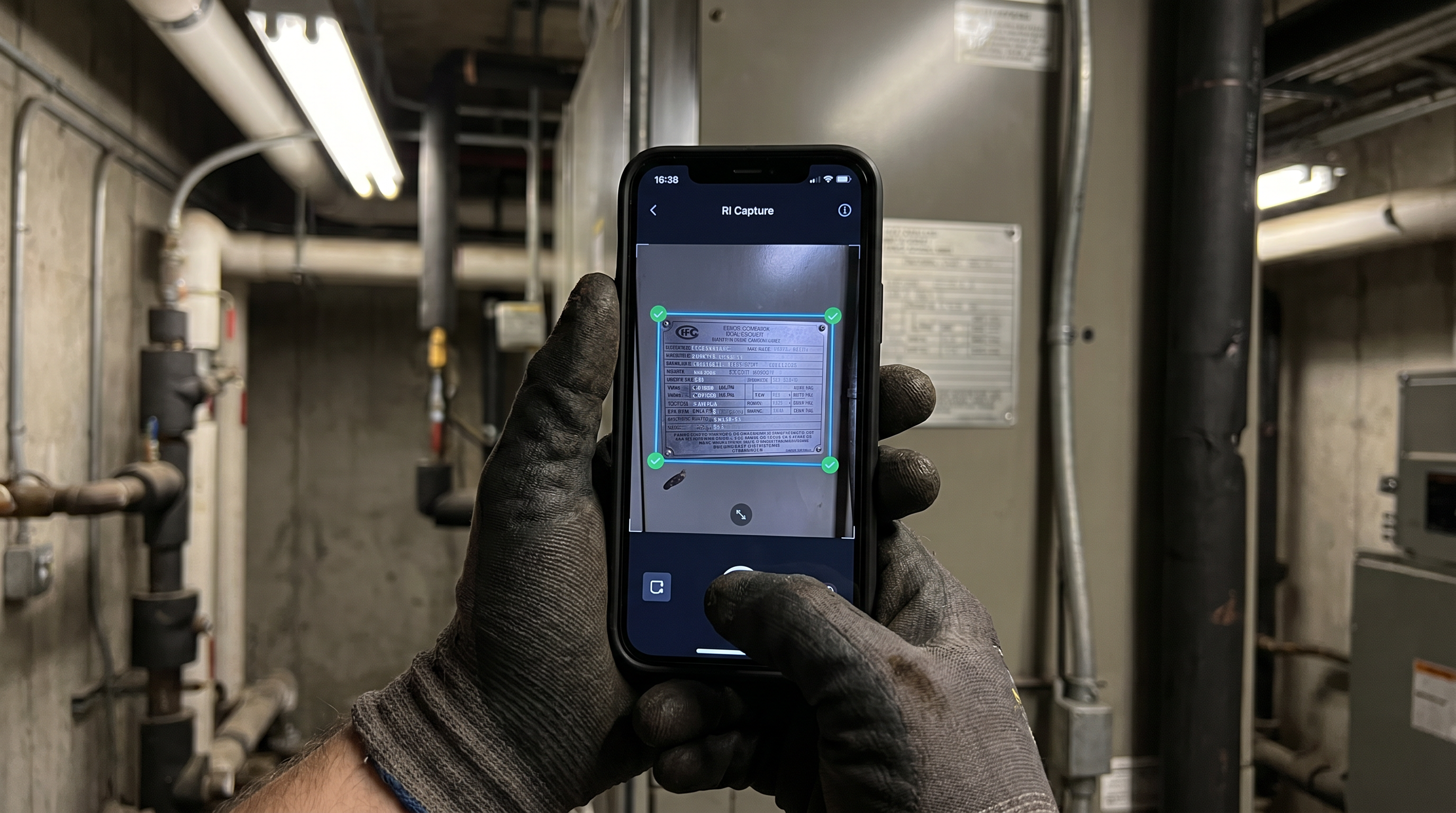
RI Capture: The Field Documentation Tool Architects Actually Need On-Site
The gap between a professional LiDAR scan and day-to-day site documentation is where a lot of project information gets lost. A scan happens once, at the start of a project. But renovation projects are dynamic — conditions change during demolition, new information surfaces, field observations need to be captured and tied back to the project record. For most architecture firms, that documentation still happens on personal phones, in email chains, and in physical notebooks that may or may not make it back to the office intact.
RI Capture is Robotic Imaging’s free iOS and Android mobile app for structured field documentation. For architects, it changes how site visits work.
Instead of photographing a condition and texting it to a project manager with a note that says “look at this,” an architect opens RI Capture, photographs the condition, tags it to the asset or space, adds a voice note, and it’s in the project record — timestamped, GPS-located, and searchable — before they’ve left the room. The app works fully offline, which matters in basement mechanical rooms and concrete-walled spaces where cellular signal drops. Everything syncs when connectivity returns.
For renovation projects specifically, RI Capture enables a few workflows that genuinely change the economics of site visits:
Existing equipment documentation during pre-design investigations. Before demolition, an architect or project manager walks the space photographing every piece of mechanical, electrical, and plumbing equipment. RI Capture’s AI extracts manufacturer, model, serial number, and specification data from nameplate photographs automatically — building an equipment registry from field photos without manual data entry. On a 50,000 sq ft office renovation, this replaces what used to be two days of manual documentation with a few hours of structured photo capture.
Construction administration field observations. During CA, RFIs often require photographic documentation of existing conditions that the contractor has exposed. RI Capture provides a structured way to capture, tag, and retrieve those observations — searchable by location, date, or asset — rather than hunting through a project email thread from three months ago.
Punch list and closeout documentation. The transition from construction to occupancy is where documentation gaps most commonly develop. RI Capture creates a structured record of closeout conditions that feeds directly into the RI Facilities platform — so the building owner receives a living asset registry at handover, not just a set of PDF as-builts.
RI Facilities: Portfolio Intelligence for Firms Running Multiple Renovation Projects
Solo projects are manageable with standard project management tools. The challenge for renovation-focused architecture firms is that they typically run 15, 30, or 50 projects simultaneously — each at a different phase, each with its own existing conditions documentation, each requiring periodic site visits and field verification. Without a platform that connects all of that, project intelligence lives in individual team members’ heads and in project folders that nobody else can navigate quickly.
RI Facilities is Robotic Imaging’s portfolio management platform. For architecture firms, it functions as the central repository for building documentation across all active projects — and unlike a shared drive, it’s structured around the physical reality of buildings rather than around file types.
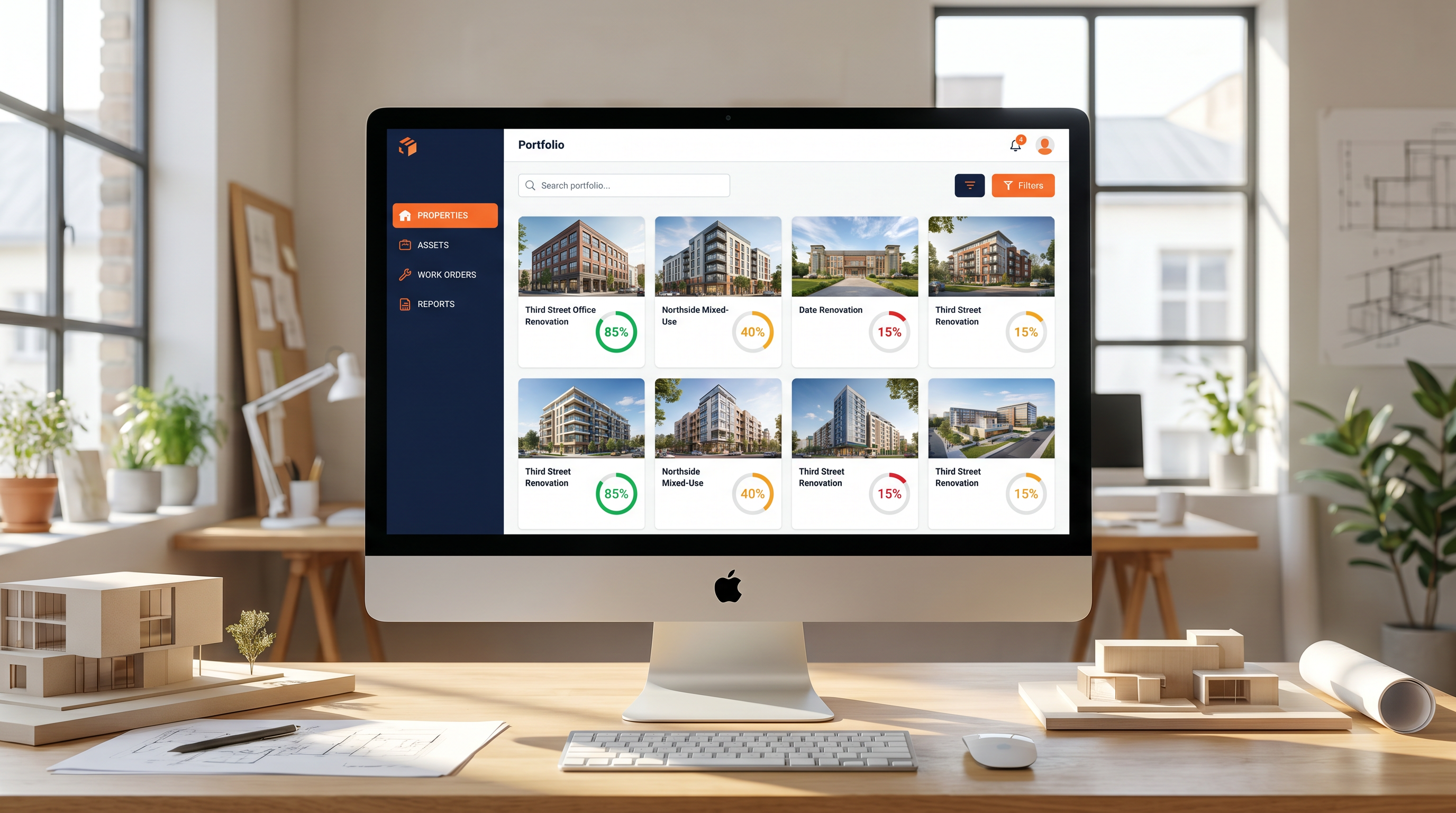
The platform organizes data by property, then by space, then by asset — which means when a project architect needs to answer a contractor’s RFI about the existing HVAC unit in Suite 410, they navigate to that property, that space, that asset, and find the photographs, the specification data, and the field notes captured during the pre-design site visit. Not in a shared drive folder called “Site Photos — Final FINAL (2)."
As of May 2026, Robotic Imaging’s web platform has three tiers:
Starter covers the fundamentals — unlimited properties, asset management, team collaboration, photo and document storage, and data export in CSV and PDF formats. For a small renovation practice managing 10–20 active projects, this is typically the right starting point.
Advanced is where AI becomes genuinely useful. The AI assistant answers plain-language questions about a building’s documentation: “What HVAC equipment is in the basement of the Third Street project?" or “Which assets in the Northside renovation don’t have as-built documentation yet?" AI-generated property reports surface documentation gaps and flag items that need attention before the next project phase. For firms doing design development across multiple projects simultaneously, this visibility is the difference between proactive project management and reactive fire-fighting.
Enterprise adds work order management, vendor management with RFP workflows, construction handover checklists, time tracking, API access, SSO/SAML authentication, and white label options. For larger firms or for practices that manage buildings post-occupancy for institutional clients, Enterprise is the tier where the platform starts functioning as full facilities intelligence infrastructure.
How the Scan-to-Platform Workflow Actually Works for Renovation Projects
The workflow that matters most to architects is the one that gets verified existing conditions data from the field into their Revit models as fast as possible. Here’s what that looks like end-to-end with Robotic Imaging.
A renovation project kicks off. The building owner produces whatever drawings exist — typically a mix of original construction documents and partial as-builts from previous renovations, none of which should be trusted without verification. The architect contacts Robotic Imaging.
Within 2–3 days, a certified field technician is on-site with a LEICA RTC 360 scanner, capturing the space at 2,000,000 points per second with ±2mm accuracy. A typical 10,000–20,000 sq ft commercial space is fully captured in a single day. The scan captures everything a tape measure misses: exact ceiling heights including structure above, MEP routing in accessible spaces, column sizes and locations, wall thicknesses, slab-to-slab dimensions.
Within 10–14 business days, the architect receives a LOD 300 Revit model — a fully intelligent BIM model showing exact dimensions, locations, and orientations of all building elements — that overlays directly onto their design file. No manual re-entry. No guessing. The design team starts from verified reality.
That model and all associated project documentation — the point cloud, the field photos, the asset data captured via RI Capture — lives in the RI Facilities platform, accessible to every team member on the project, searchable throughout design development and construction administration.
| Stage | Without RI Platform | With RI Platform |
|---|---|---|
| Existing conditions capture | Architect or intern spends 2–3 days on-site with tape measure | RI technician dispatched in 2–3 days, scan complete in hours |
| Data handoff to Revit | Manual re-entry from field notes, error-prone, days of drafting | LOD 300 Revit model delivered in 10–14 business days, overlay-ready |
| Multi-site portfolio visibility | Separate folders, inboxes, and spreadsheets per project | All project documentation in one searchable platform dashboard |
| Asset documentation on-site | Clipboard notes, photos on personal phones, lost in email | RI Capture app — structured, offline-capable, syncs automatically |
| Change order exposure | High — design based on unverified assumptions | Minimal — design anchored to ±2–4mm verified point cloud data |
| Repeat site visits for verification | Common — design questions arise weeks into project | Rare — AI-tagged asset data answers questions from the platform |
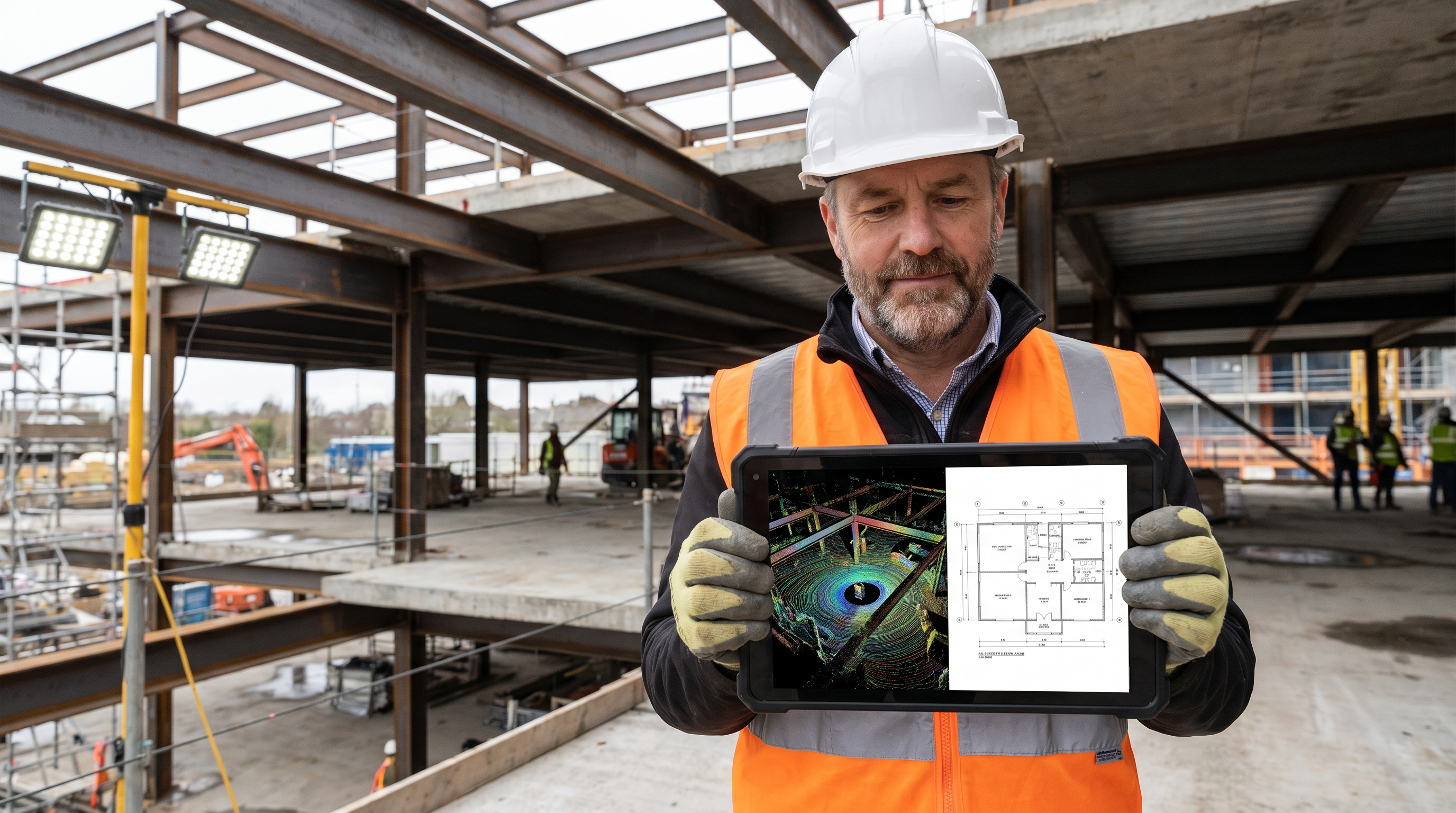
The Change Order Math: Why Accurate Existing Conditions Pay for Themselves
The business case for investing in accurate existing conditions documentation is straightforward, but it’s worth making explicit because it’s the conversation that architecture firms need to have with skeptical clients.
A professional LiDAR scan and LOD 300 Revit model of a 15,000 sq ft commercial renovation starts at Robotic Imaging’s Scan-to-CAD rate of $0.19 per square foot for 2D documentation, with Scan-to-BIM pricing scaling by LOD and project complexity. Call it a few thousand dollars for a typical mid-size renovation project.
A single change order caused by a condition that accurate existing conditions documentation would have caught typically costs $15,000–$85,000 in contractor time, design rework, schedule delays, and client relationship damage. The scan is, in almost every case, cheaper than the cheapest change order it prevents.
Firms like Nelson Worldwide — a national architecture and design firm that uses Robotic Imaging’s platform across their retail renovation programs — frame it this way: the scan isn’t an added cost. It’s risk mitigation that happens to produce the best existing conditions documentation their teams have ever worked from.
Sarah W., Associate Principal at Nelson Worldwide, put it directly after switching from a previous scanning vendor: “We REALLY appreciate how responsive and professional the team is. We hope to continue to leverage your company’s services."
Delta Air Lines’ Corporate Real Estate team used Robotic Imaging’s scans to verify design documents against actual airport build-out constraints. Clifton B. from that team: “The team was easy to work with, got the job done quickly, and turned over the model fast."
Frequently Asked Questions
How is Robotic Imaging’s platform different from just receiving a point cloud file?
A point cloud file is a static deliverable — it answers the questions you thought to ask at the time of delivery and nothing else. Robotic Imaging’s platform is a living environment where that data is structured, searchable, and connected to all subsequent field documentation. When a new question arises during construction administration, the platform has the answer without requiring a new site visit.
Can RI Capture be used by project architects without technical training?
Yes. RI Capture is designed for non-specialist field documentation. The workflow is straightforward: photograph the condition, tag it to a space or asset, add a note. The AI extraction of equipment specification data from nameplate photos happens automatically — the architect doesn’t need to understand the AI to benefit from it.
What LOD does Robotic Imaging deliver for renovation architecture projects?
Robotic Imaging delivers LOD 200 through LOD 350 as standard, with LOD 400 available for specialist fabrication. For most renovation design development workflows, LOD 300 — construction-precise models showing exact size, shape, location, and orientation of all building elements — is the standard deliverable. LOD 350 is recommended when MEP coordination and system interface documentation is required for complex renovation scopes.
How does Robotic Imaging handle multi-building or multi-site renovation programs?
The RI Facilities platform is specifically designed for multi-site portfolio management. Each property gets its own structured documentation environment within the platform, and the portfolio dashboard gives project leadership visibility across all active projects simultaneously. This is the workflow that enables firms like Nelson Worldwide to run systematic renovation programs across retail locations without losing project intelligence between sites.
What file formats are delivered and how do they integrate with Revit?
Point cloud outputs are delivered in RCS, RCP, E57, and LAS formats — all natively supported by Autodesk ReCap and directly importable into Revit. BIM models are delivered as .RVT files with a ±1/4 inch deviation tolerance from the point cloud. Scan-to-CAD drawings are delivered in .DWG, .DXF, and .PDF formats compatible with AutoCAD and all standard AEC workflows.
Is there a way to try the platform before committing?
Yes. A live sandbox environment at sandbox.roboticimaging.com/demo lets architects and project teams explore the full platform interface without a sales conversation. The RI Capture app is free to download on iOS and Android and can be used immediately.
Getting Started
For renovation-focused architecture firms, the question isn’t whether accurate existing conditions documentation is worth investing in. Every firm already knows it is. The question is whether the current approach — manual field surveys, disconnected photo archives, static PDF deliverables — is actually providing that documentation reliably across a full project portfolio.
If the answer is anything other than an unqualified yes, Robotic Imaging’s platform is worth a serious look.
Request a 15-minute demo — walk through the platform with your specific project types and portfolio size in mind.
Explore the live sandbox — no sales call required. See the platform, navigate a sample project, understand the workflow before committing to anything.
Download RI Capture on iOS or Android — start structured field documentation on your next site visit today, at no cost.
View Scan-to-BIM and Scan-to-CAD samples — see LOD 300 and LOD 350 deliverable examples before scoping your first project.
Written by
Robotic Imaging